Compute Engine Service Account Best Practices
What is Service Account ?
Before explaining GCP Service Account, it is necessary to understand the GCP IAM design mechanism
GCP IAM Mechanism
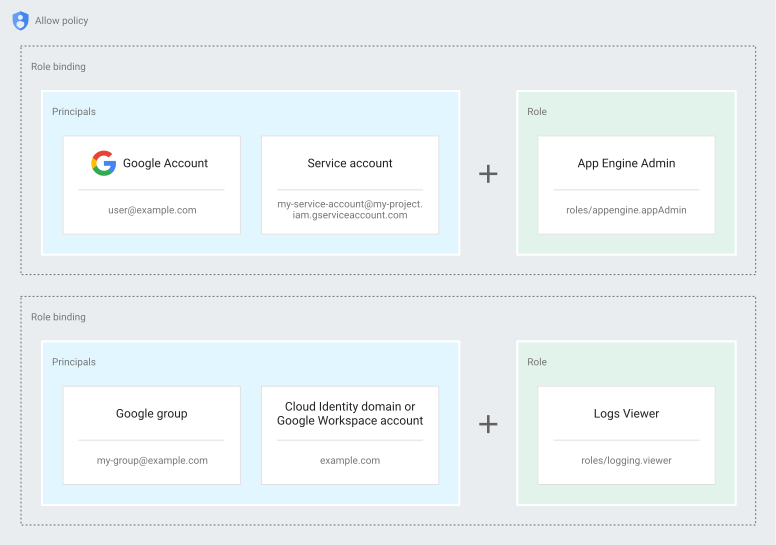
As shown in the above figure, GCP IAM can be divided into:
- Account (principal): Usually an email, with attributes often being:
- Human Account: If it’s a personal user, it could be a personal Gmail; if it’s an organizational user, it could be a GoogleWorkSpace account or a Cloud Identity account
- Service Account: An account not used by humans but still requiring an identity
- Group Account: Usually a collection of some human accounts, providing specific permissions to members within the group for ease of management
- Role: Composed of numerous permissions to form a role for ease of management, which can be custom or use officially defined roles
- Permission: The finest granularity of permissions, usually composed of
service_name.resource.verb, such aspubsub.subscriptions.consume - Divided into predefined roles and custom roles
- Predefined roles are maintained by GCP, automatically adjusting with any future permission changes
- Custom roles need to be maintained by the user but can be fully configured based on their own needs
- Permission: The finest granularity of permissions, usually composed of
- In application, roles are bound to accounts, and an account can have multiple roles
For more details, refer to the official documents
GCE (GCP Compute Engine) Default Service Account Permissions
- By default, GCE (GCP Compute Engine) uses
PROJECT_ID[email protected] as the default service account - Its default role is Editor, and since Editor has quite extensive permissions, it is managed by Access scopes
- The default access scopes enable the following permissions:
- Read-only access to Cloud Storage:
- Write access to write Compute Engine logs:
- Write access to publish metric data to your Google Cloud projects:
- Read-only access to Service Management features required for Google Cloud Endpoints(Alpha):
- Read or write access to Service Control features required for Google Cloud Endpoints(Alpha):
- Write access to Cloud Trace allows an application running on a VM to write trace data to a project.
- Or use custom access scopes as shown in the figure below
- The default access scopes enable the following permissions:
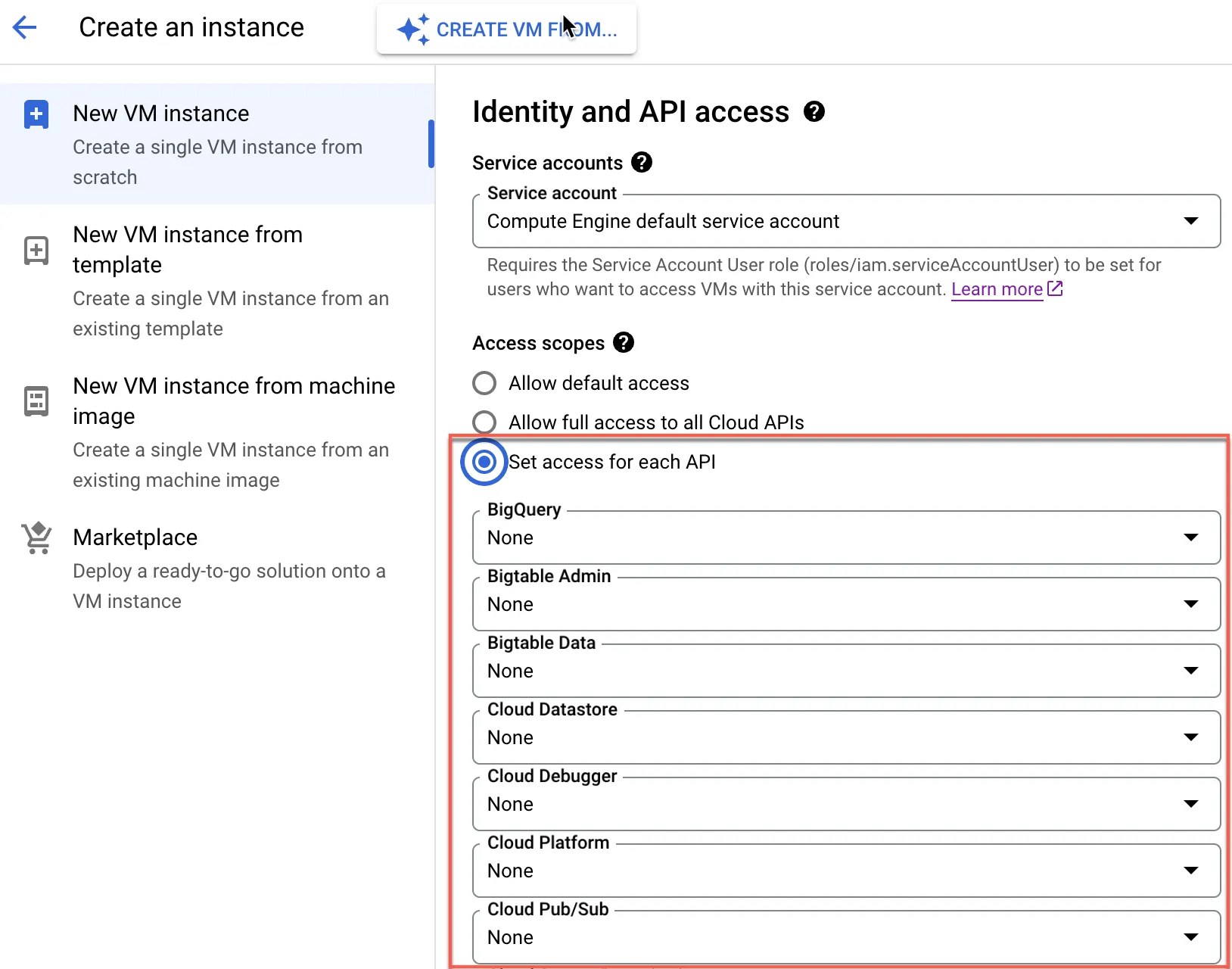
- Access scopes apply to VMs on a per-instance basis; different VMs can apply different access scopes, such as
- To connect to a CloudSQL host, additional access scopes settings are needed, otherwise connection to CloudSQL will fail
- Access scopes are a legacy way of managing service account permissions
GCE Service Account Best Practice
- Main principles:
- Do not use default Service Account and Access Scopes settings
- Aside from not being able to properly manage Google Cloud Storage service permissions, the default Service Account has Read-only access to Cloud Storage permissions,
which poses a significant risk in terms of data permission management. The official documents also highlight this concern
- Aside from not being able to properly manage Google Cloud Storage service permissions, the default Service Account has Read-only access to Cloud Storage permissions,
- One Service Account for one purpose, for example, the same GCE VM group should use the same Service Account
- Naming conventions can use
vm-as a prefix for easy identification
- Do not use default Service Account and Access Scopes settings
- Recommended permissions, mainly used for monitoring purposes:
roles/logging.logWriter: Ops Agentroles/monitoring.metricWriter: Ops Agentroles/stackdriver.resourceMetadata.writer: Permissions used by GKE nodes- Other GCP service permissions accessed by GCE VMs
- Based on the principle of least privilege, if using Google Cloud Storage (GCS), the Service Account used by the GCE can be added to specific buckets with specific permissions, thus limiting certain hosts to only access data from specific buckets
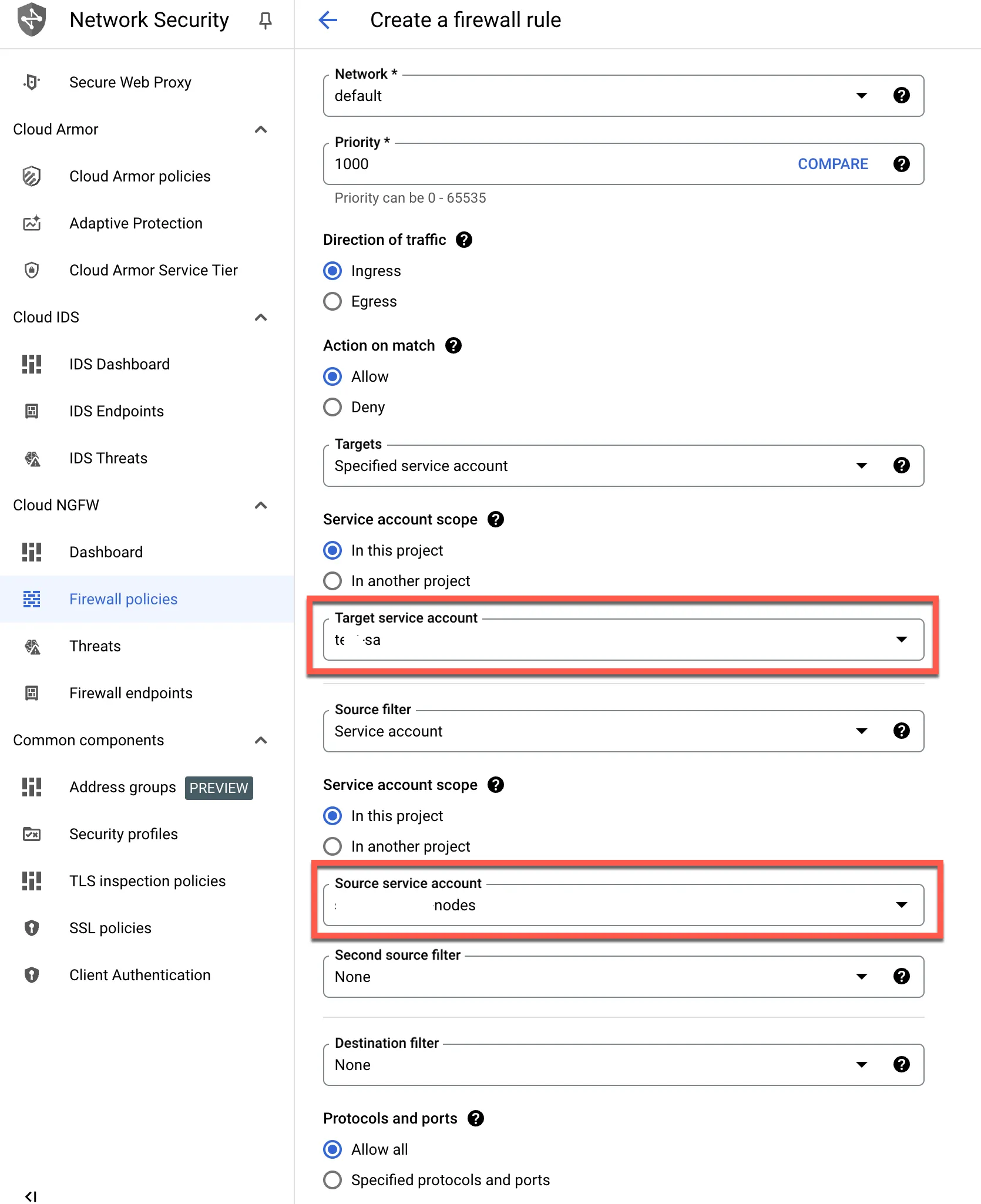
- Firewalls can use service accounts for better unified management of data flows, as shown in the figure below