CloudBuild triggered by Pub/Sub
Scenario
- Process:
- After pushing a container image to Artifact Registry, receive messages via Pub/Sub.
- Then trigger CloudBuild to execute the cloudbuild.yaml and perform actions.
- Purpose:
- Trigger CloudBuild for further operations upon receiving a specific image push.
Implementation
- Create Artifact Registry
- Configure artifact registry SA and add pubsub.topics.publish permission
- Create Pub/Sub
- Create CloudBuild Trigger
- Test
Execution Steps
Create Artifact Registry
Run the following command to create a new Registry
1gcloud artifacts repositories create REPO_NAME --repository-format=docker --location=asia-east1In IAM, set the permissions for gcp-sa-artifactregistry.iam.gserviceaccount.com to include Pub/Sub Publisher
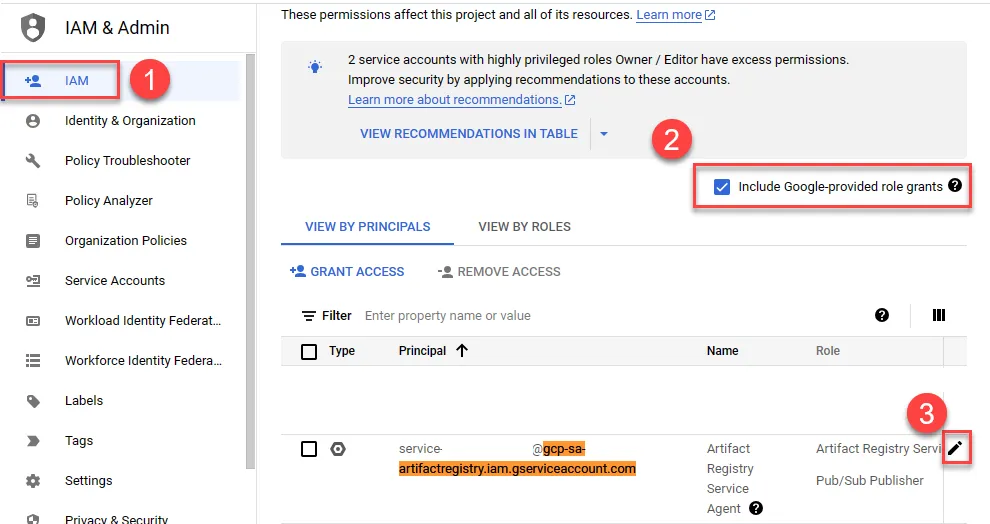
Save after adding permissions
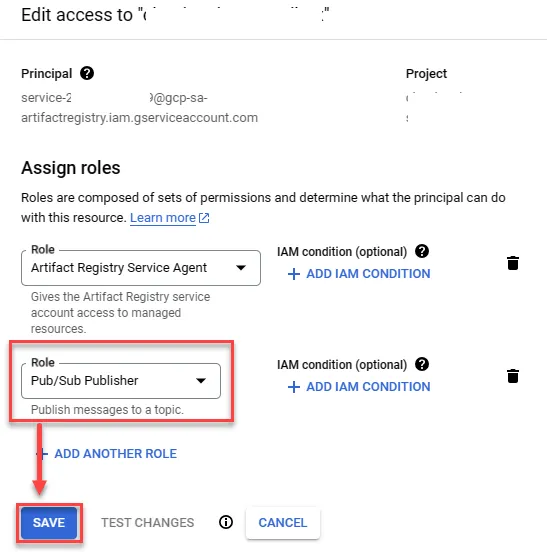
Create Pub/Sub
1gcloud pubsub topics create gcr2gcloud pubsub subscriptions create gcr-sub --topic=gcrCreate CloudBuild Trigger
Create a new Trigger
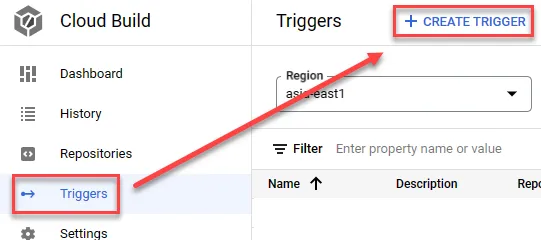
- Enter the name
- Select Pub/Sub message event
- Select the previously created topic
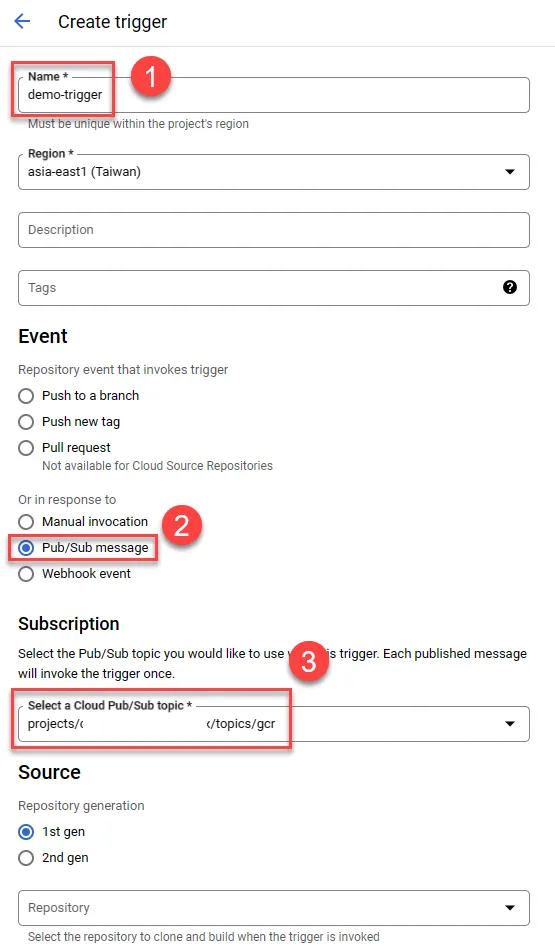
Scroll down to continue the setup
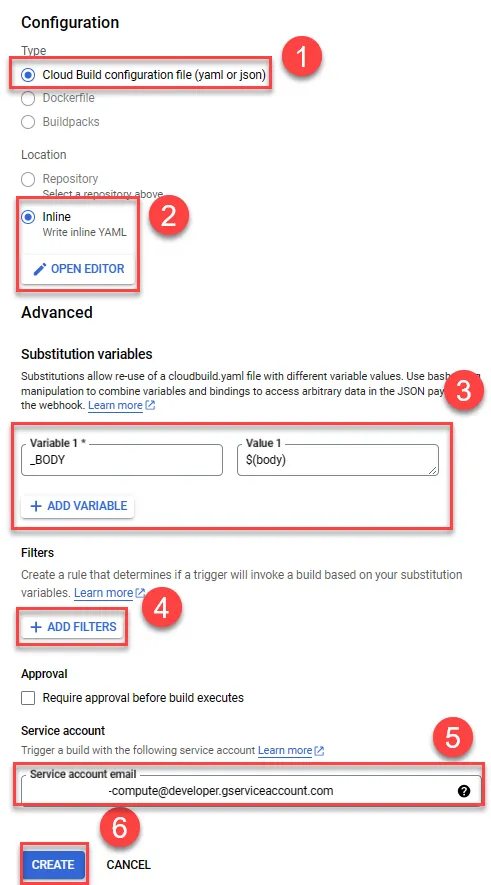
- Choose CloudBuild config file
- Select inline, future implementations may select repo
- Enter variables (variables need to start with
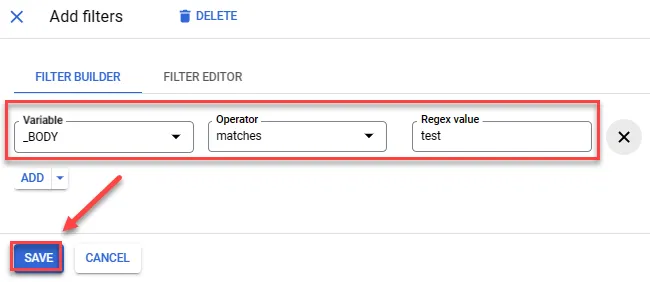
_) - Add filter conditions
- Select the default SA
- Create
Paste the following content in the inline section
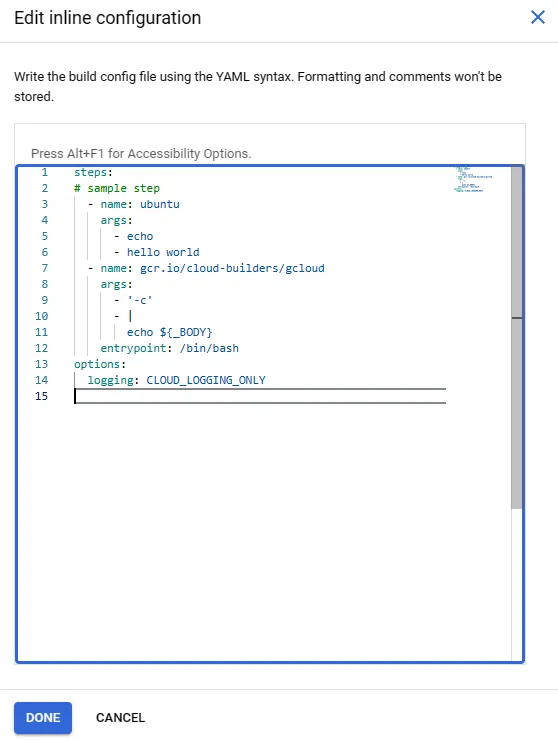
Note: It is not recommended to use inline config in production environments; instead, use a complete and separate cloudbuild.yaml for better management.
1steps:2# sample step3 - name: ubuntu4 args:5 - echo6 - hello world7 - name: gcr.io/cloud-builders/gcloud8 args:9 - '-c'10 - |11 echo ${_BODY}12 entrypoint: /bin/bash13options:14 logging: CLOUD_LOGGING_ONLYFor the filter, add the following content to trigger whenever the test keyword is included
Test Trigger
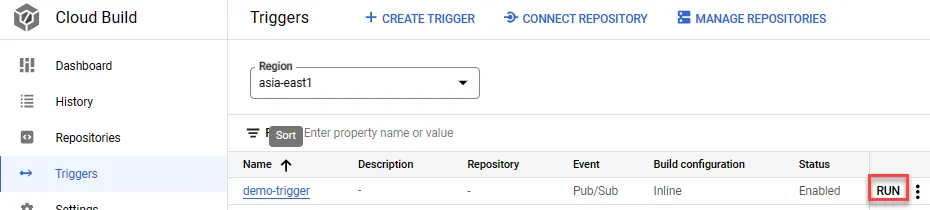
Click Run in CloudBuild to test
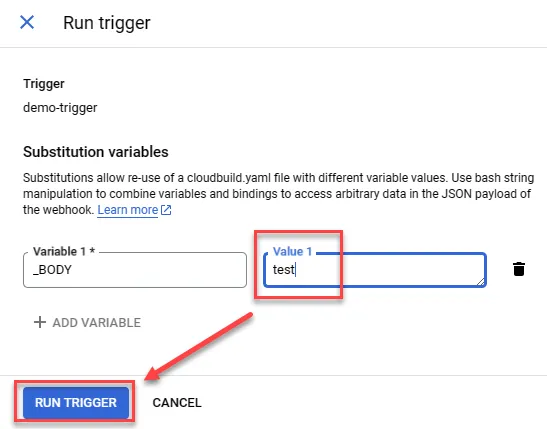
Enter the value for echo; as this is a forced trigger, even input not containing the test keyword will execute Cloud Build
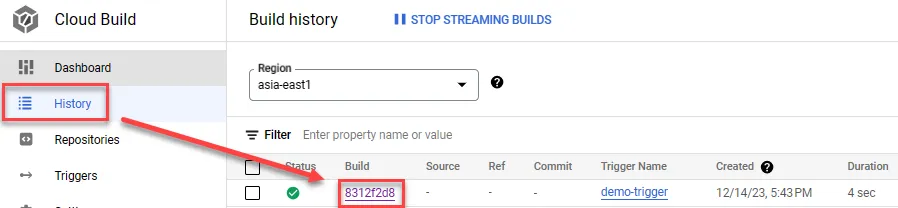
Click Build
You will see it has been successfully created
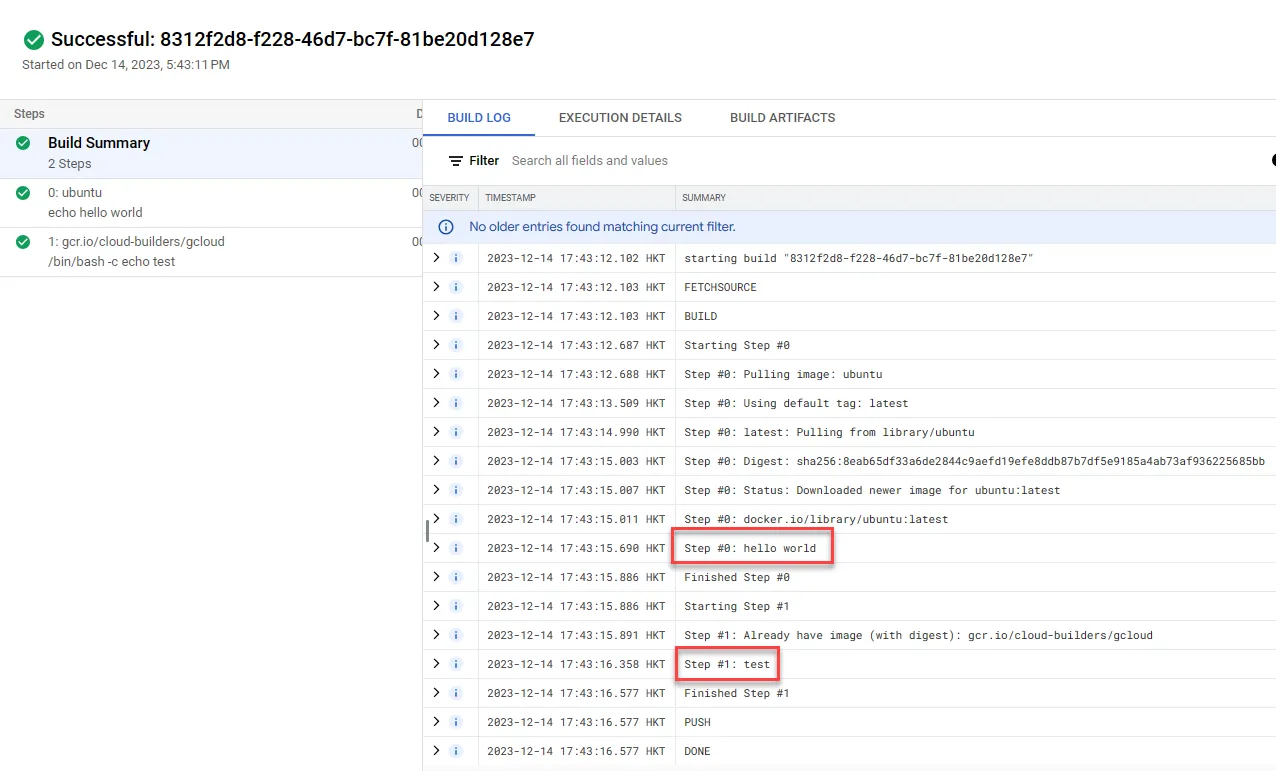
Testing
Trigger using Pub/Sub
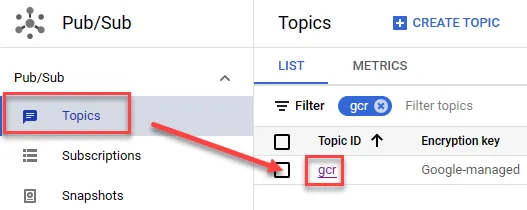
Click on the created Topic
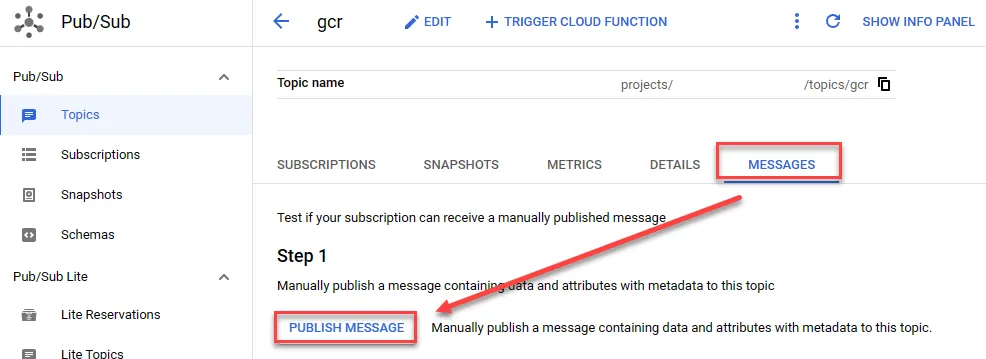
Publish a message
Paste the following message for testing
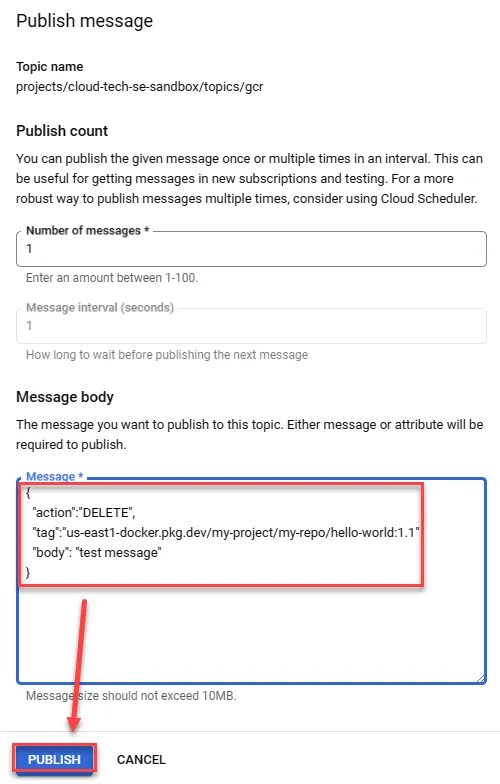
1{2 "action":"DELETE",3 "tag":"us-east1-docker.pkg.dev/my-project/my-repo/hello-world:1.1"4 "body": "test message"5}Check CloudBuild history
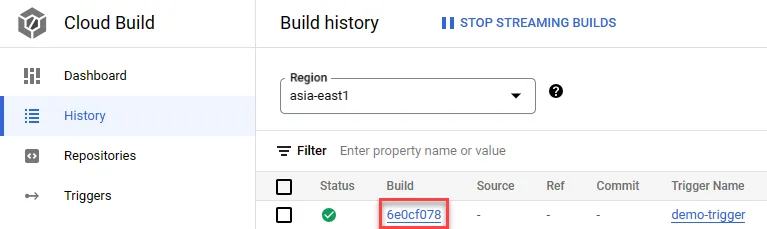
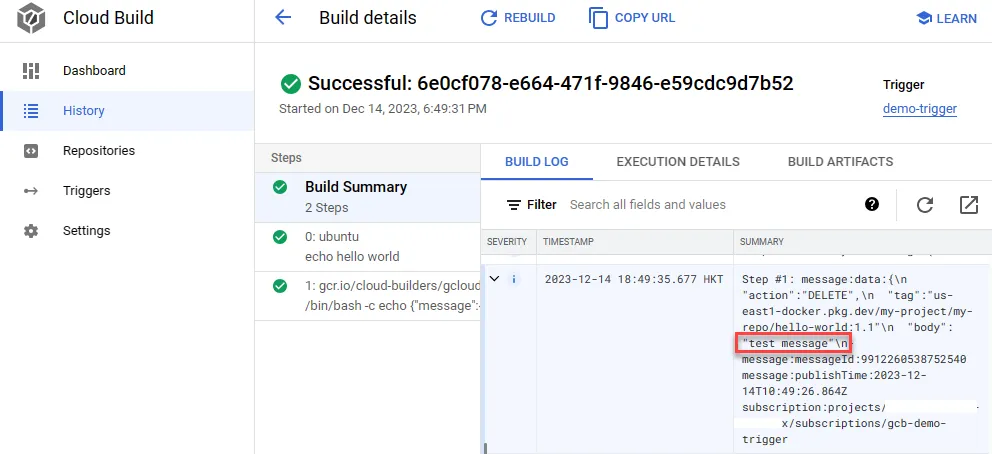
See that test message triggers correctly, while demo message does not trigger any actions
Application Methods
Specific Image Triggering CloudBuild
Trigger CloudBuild only when a specific container image is updated.
Modify the cloudbuild.yaml in the CloudBuild trigger as follows:
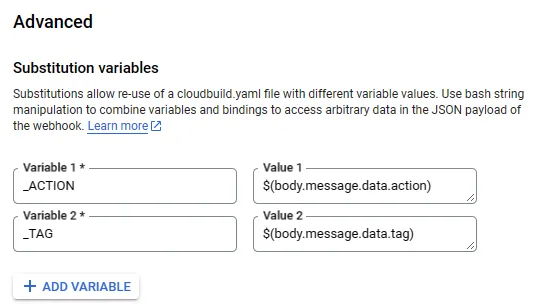
1steps:2 - name: ubuntu3 args:4 - echo5 - hello world6 - name: gcr.io/cloud-builders/gcloud7 args:8 - '-c'9 - |10 echo ${_TAG}11 echo ${_ACTION}12 entrypoint: /bin/bash13options:14 logging: CLOUD_LOGGING_ONLYUse the following variables and values to read information from Artifact Registry as conditions
_ACTION:$(body.message.data.tag)_TAG:$(body.message.data.tag)
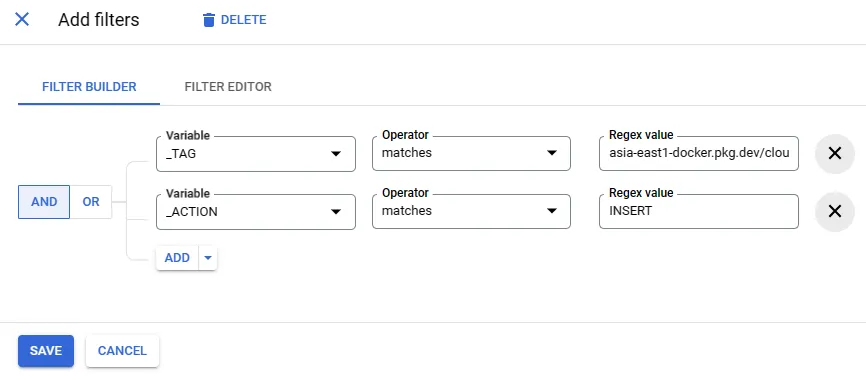
Modify the filter to match specific image and action, e.g., it will only trigger for asia-east1-docker.pkg.dev/my-project/docker-repo/image-one with INSERT
You can test using CloudShell docker. Only specific paths will trigger. You may also test using a pub/sub method.
1{2 "action":"DELETE",3 "tag":"us-east1-docker.pkg.dev/my-project/my-repo/hello-world:1.1"4 "body": "test message"5}- You can pull from Pub/Sub to check if the status matches CloudBuild history, ensuring correct triggers.
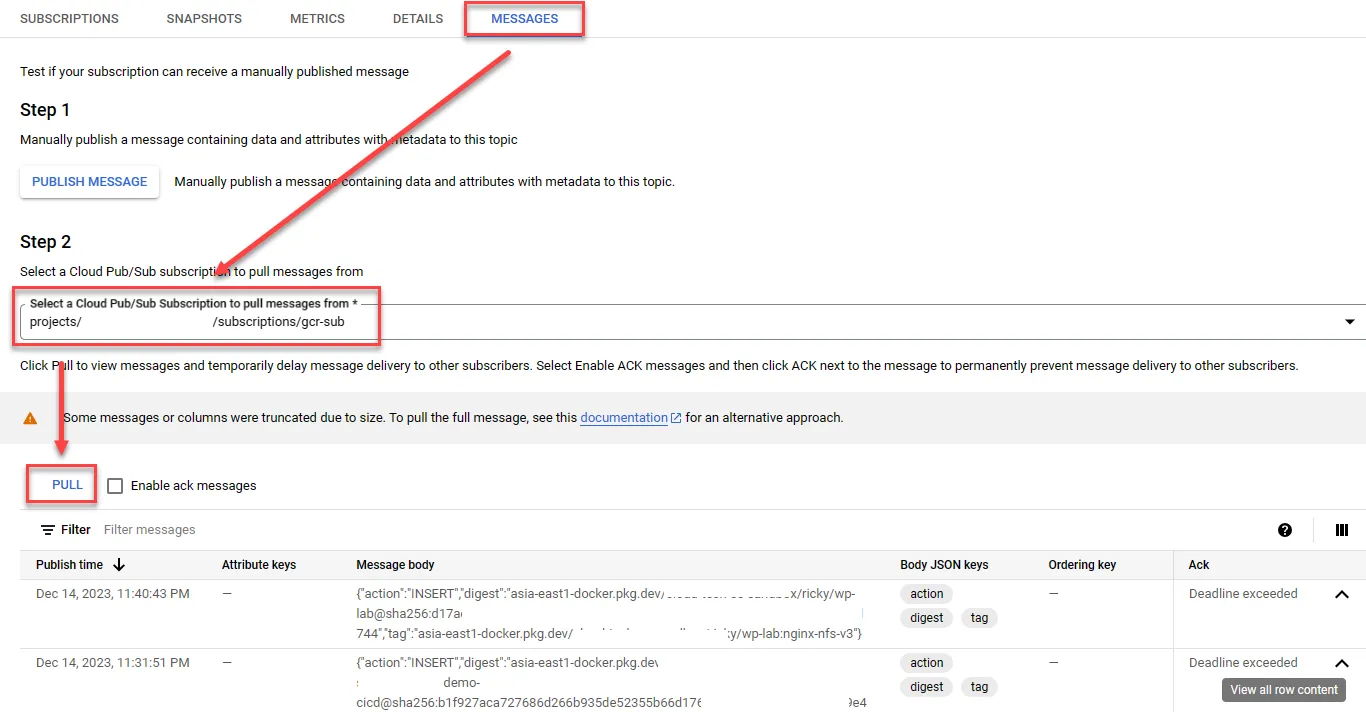
- Docker image push will also publish a message to the Topic.