跳到內容

Fully Remove Domain from GWS

Scenario

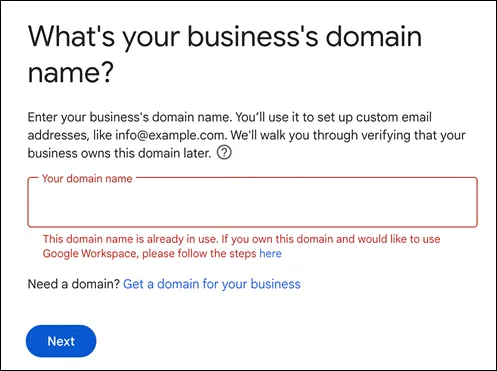
Error message indicating that manual removal is required for the domain

步驟

申請移除

Google Tool Box 進行移除作業

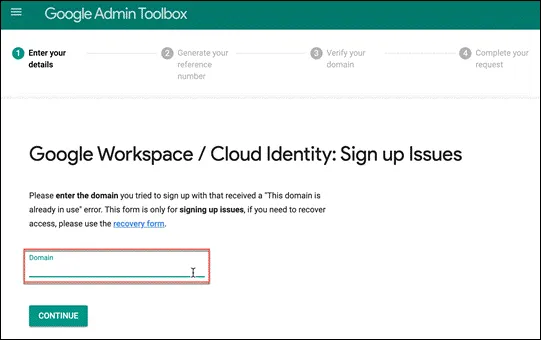
輸入網址

Enter the domain name in the provided field

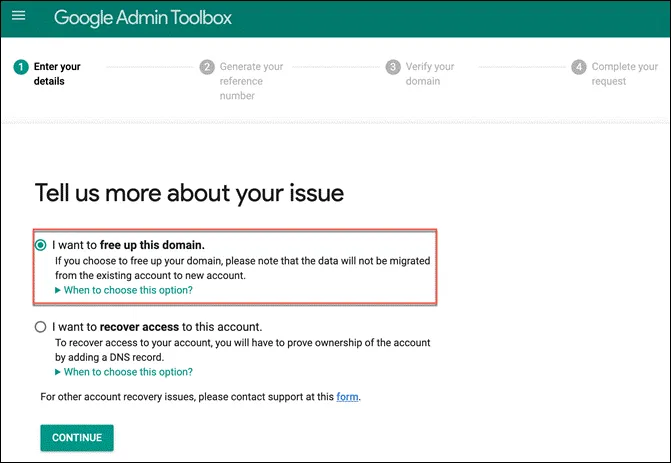
選擇釋放網域

Select the option to release the domain

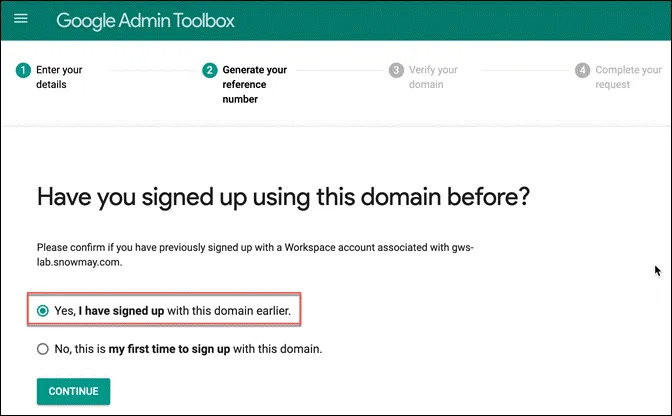
過去有使用 GWS 因此選擇曾經註冊過此網域

Choose the option indicating that you have previously registered this domain

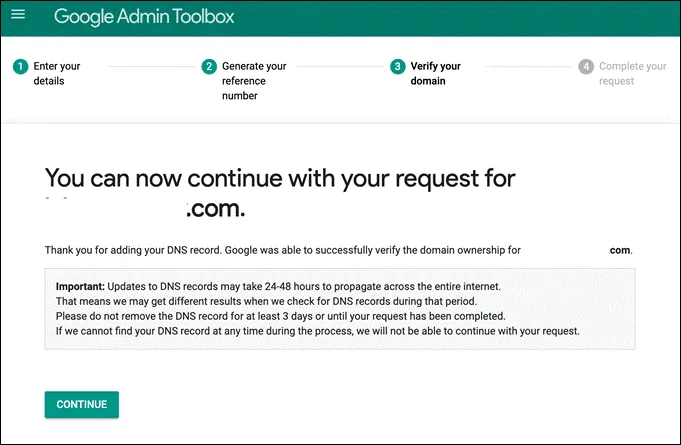
接著進行網域驗證,依照指示設定 DNS 即可

Follow the instructions to set up DNS for domain verification

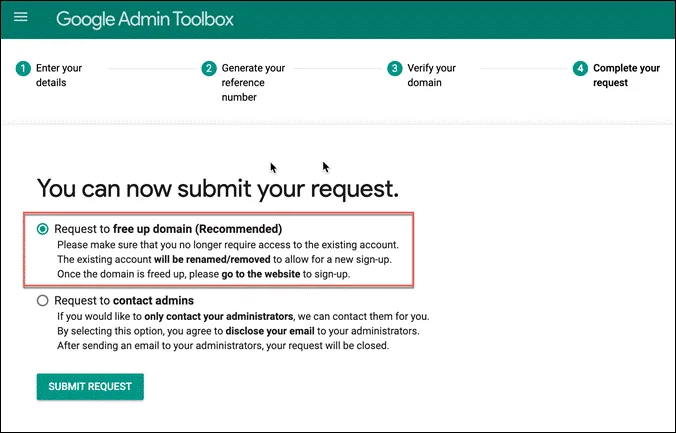
點選第一個,進行釋放網域

Select the first option to proceed with domain release

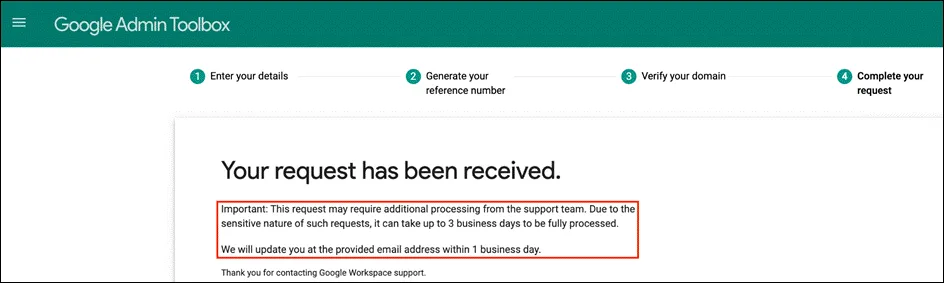
需等候三個工作天人工作業

Confirmation that the request will be processed manually within 3 business days

移除確認

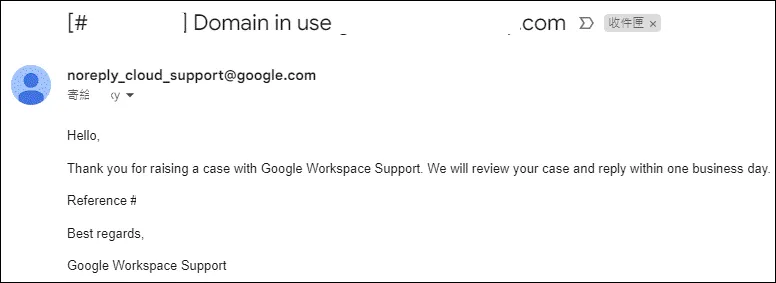
系統會發信至所填寫之信箱

如果萬一不小心關閉,系統也會發信提供繼續流程的連結
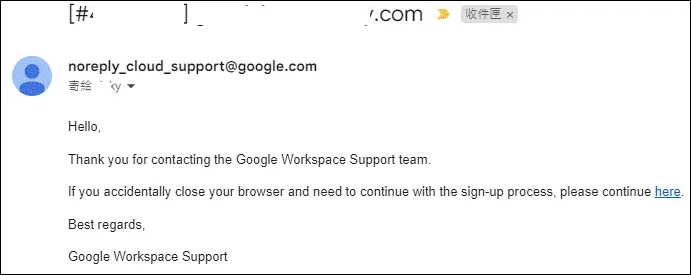
Email confirmation with a link to continue the process if accidentally closed

確認 case number

Confirmation of the case number for the domain release request

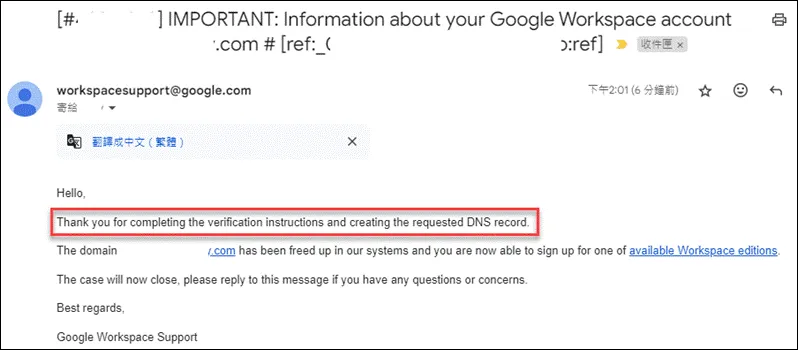
確認移除完成後,會再發信通知

Email notification confirming the completion of domain removal

疑難排除

網域無法直接釋出

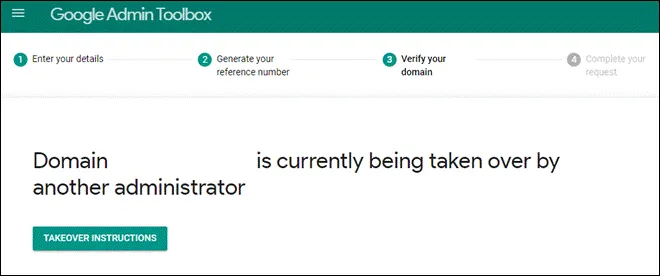
輸入網域後,點選下一步出現如下畫面

Error message when the domain cannot be released directly

處理方式為進入到 GWS 後台,點選「刪除您的帳戶」即可釋出