Stop RDS more than 7 days
Scenario
RDS 如需長期關機不使用,每隔 7 天會進行自動開機,爾後需人工關機,因此透過 Lambda 方式,針對特定 Tag 的 RDS,定期七天開機 30 分鐘後再關機,達成此目的。
實做方式
- 建立 IAM Role 提供 RDS 開關機權限
- 設定要長期關閉的 RDS Tag,同時所有 RDS 成調整一致維護時間
- 建立 Lambda Function 與設定定期開關的 Trigger
- 測試是否能依設定開關機
執行步驟
建立 IAM Role
建立 Policy
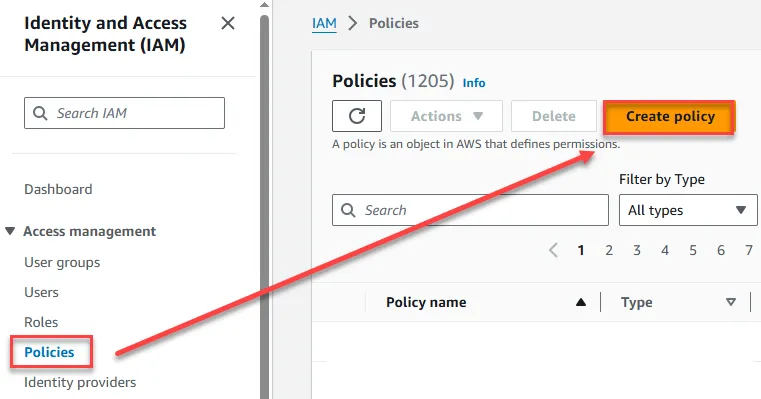
點我開啟 IAM Policy 設定畫面後,點選建立 Policy 供後續 Role 使用
點選 JSON 後,貼上以下 Policy 再點選下一步
1{2 "Version": "2012-10-17",3 "Statement": [4 {5 "Sid": "VisualEditor0",6 "Effect": "Allow",7 "Action": [8 "rds:StartDBCluster",9 "rds:StopDBCluster",10 "rds:ListTagsForResource",11 "rds:DescribeDBInstances",12 "rds:StopDBInstance",13 "rds:DescribeDBClusters",14 "rds:StartDBInstance"15 ],16 "Resource": "*"17 }18 ]19}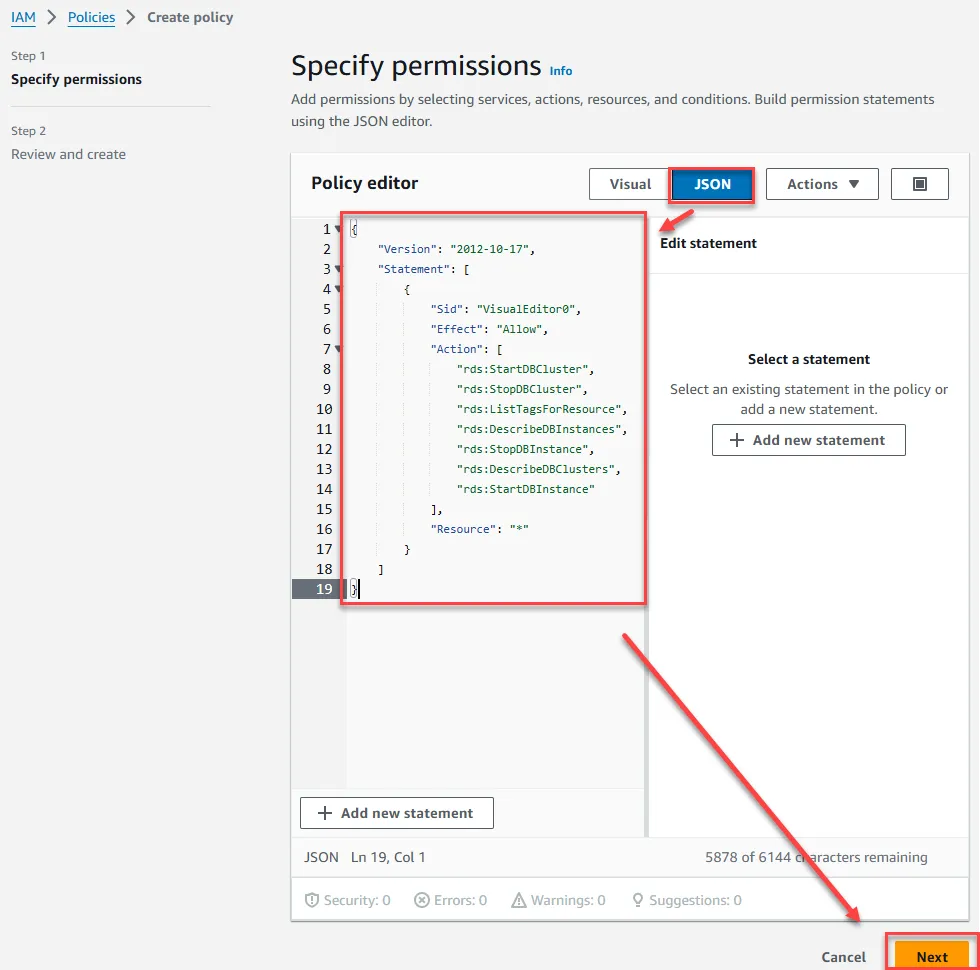
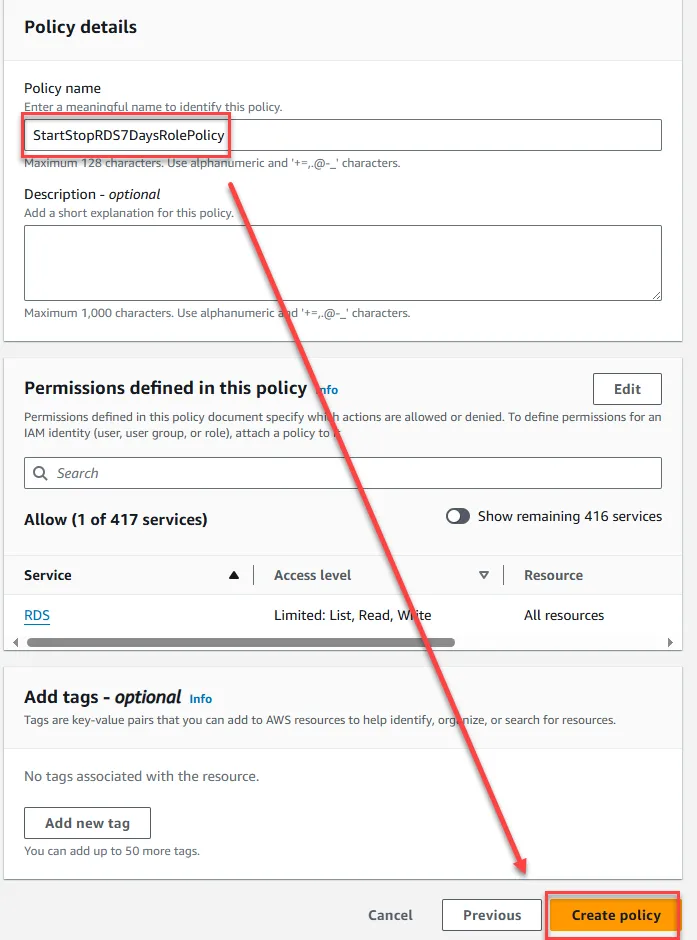
輸入名稱後點選下一步
建立 Role
接著點選建立 Role
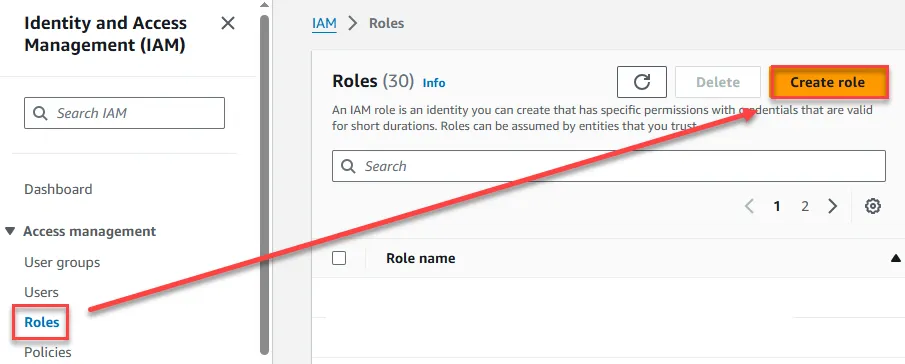
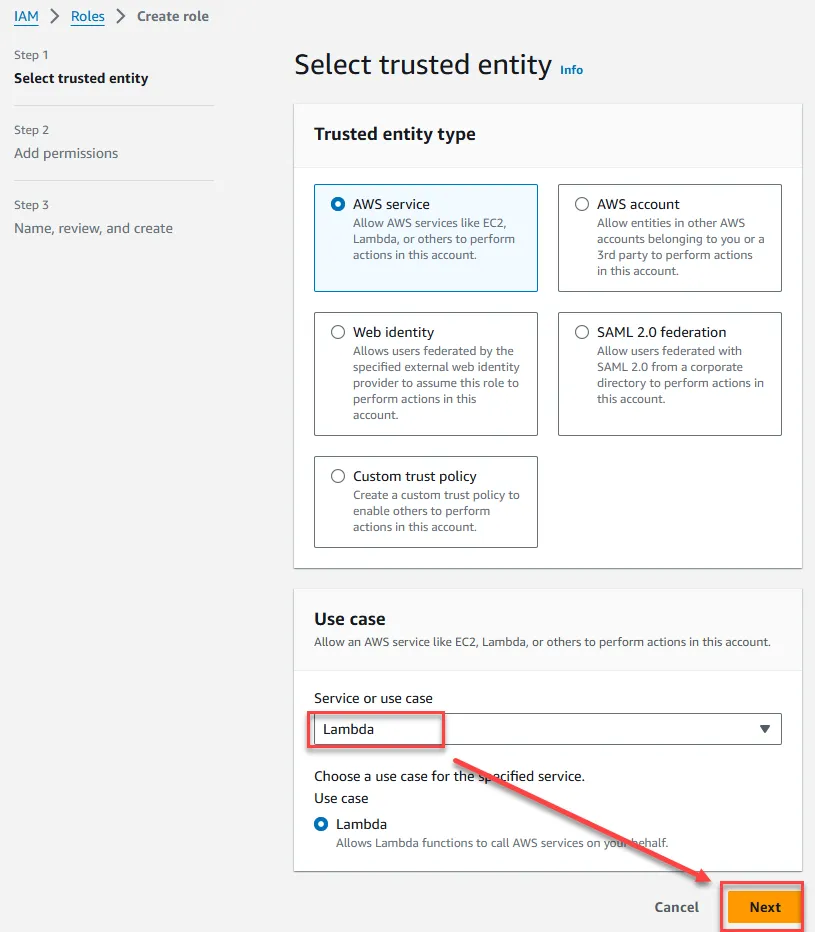
選擇 Lambda 點選下一步
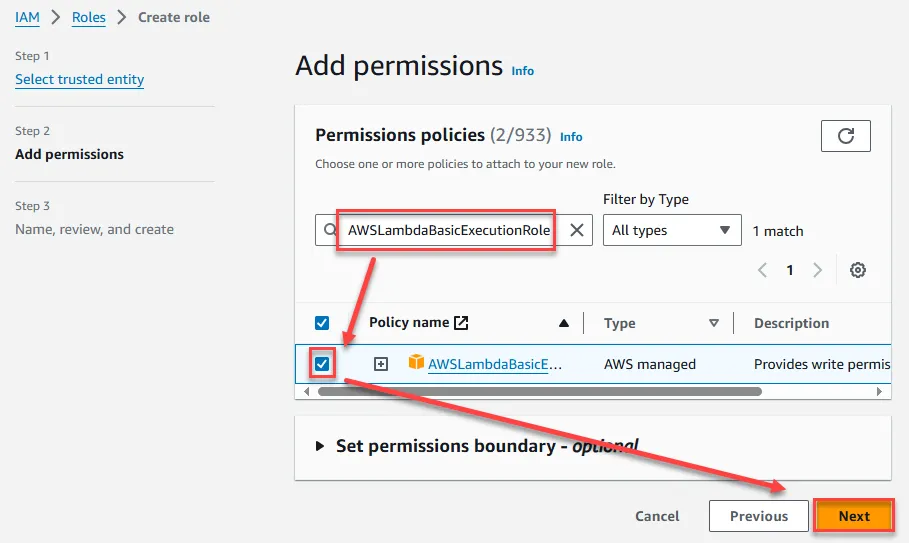
選擇剛剛所建立的 Policy 與點選 AWSLambdaBasicExecutionRole 點選下一步
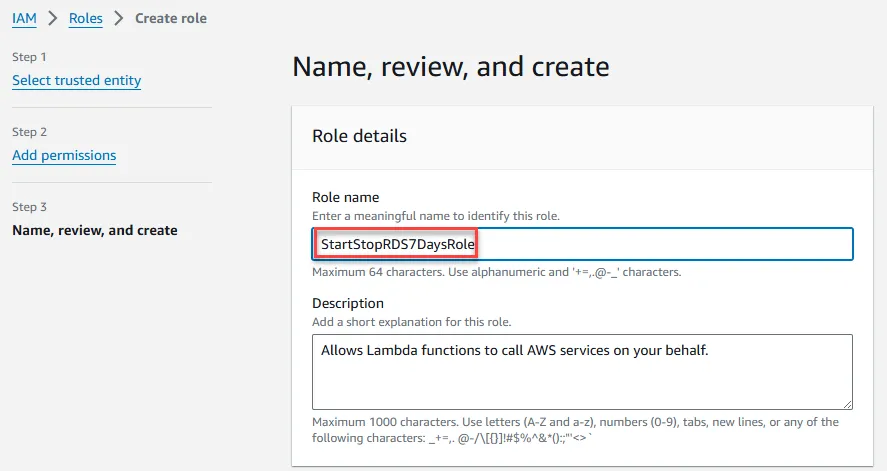
輸入 Role 名稱
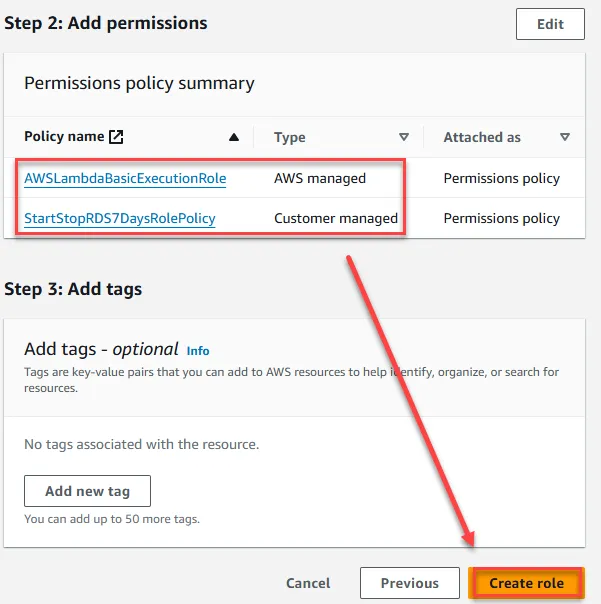
確認所選擇的 Policy 有出現,點選建立
設定 RDS
設定 RDS Tag
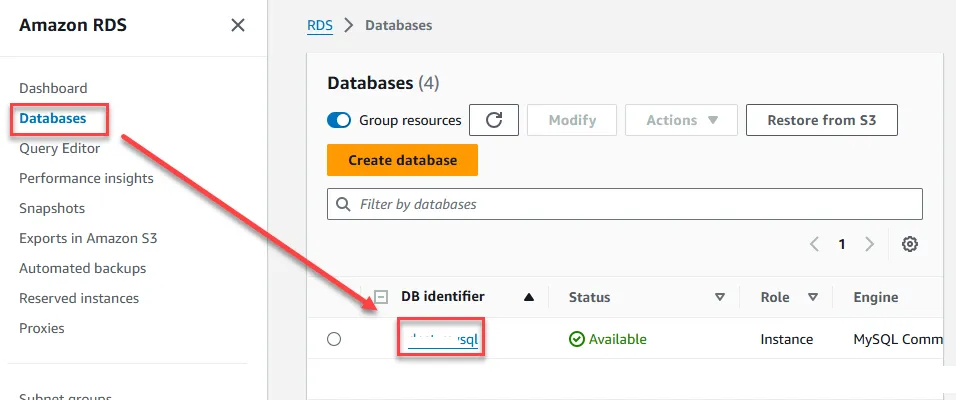
進入 RDS 頁面後,點選欲長期關閉之 instance
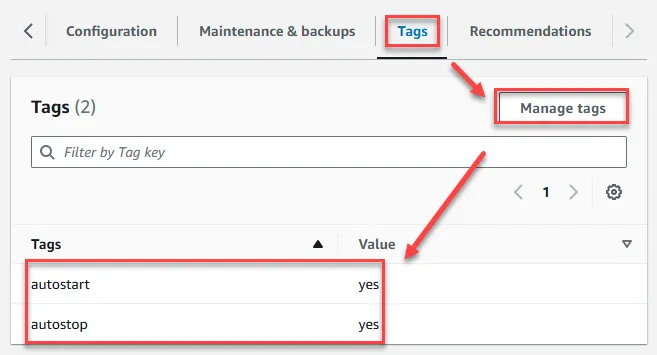
點選 Tags 欄位,再點選 Manage tags新增 autostart=yes 與 autostop=yes 兩個 tags
設定RDS 維護時間
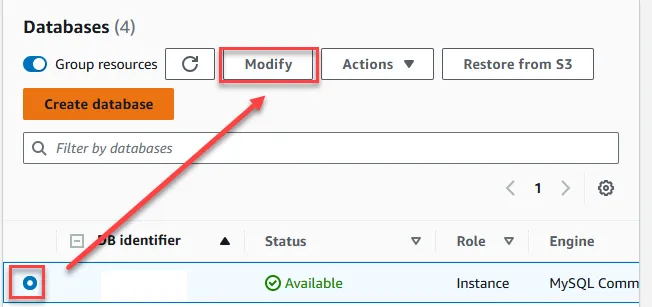
設定 RDS 需開機狀態才能進行設定,點選 Modify 進行設定
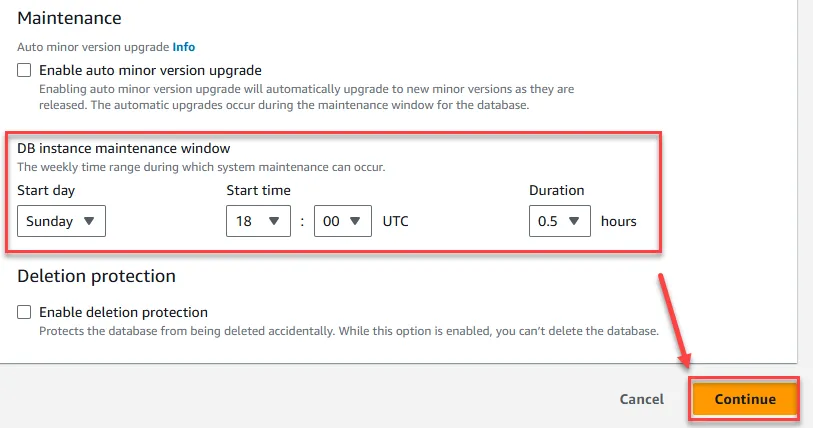
於設定末端設定維護時間,請留意此為 UTC 時間,非台灣時間,時間長度為 0.5 小時,其他欲長期關閉主機亦如法炮製設定,設定完後點選繼續,並選擇立即套用生效即可
建立 Lambda Function
建立開機 Lambda
至 Lambda Function 中點選建立

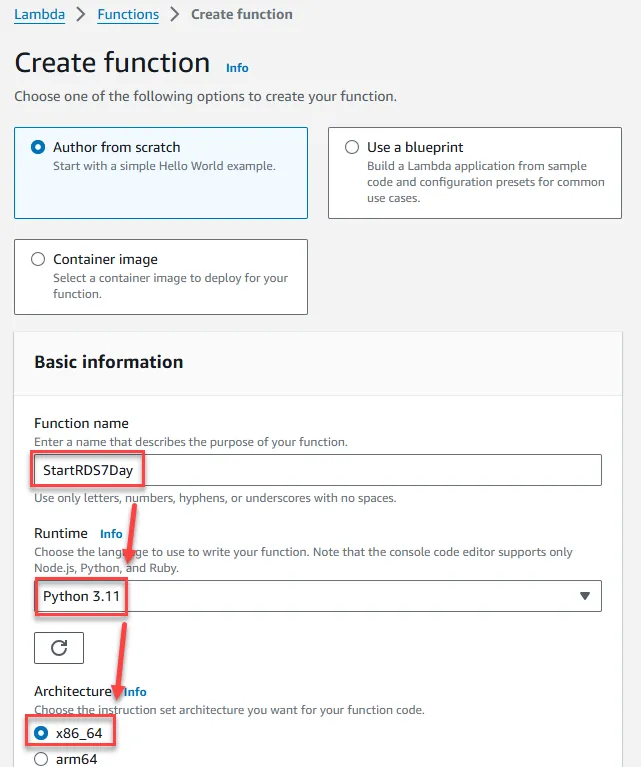
輸入名稱,選擇 Python 3.11,架構選x86_64
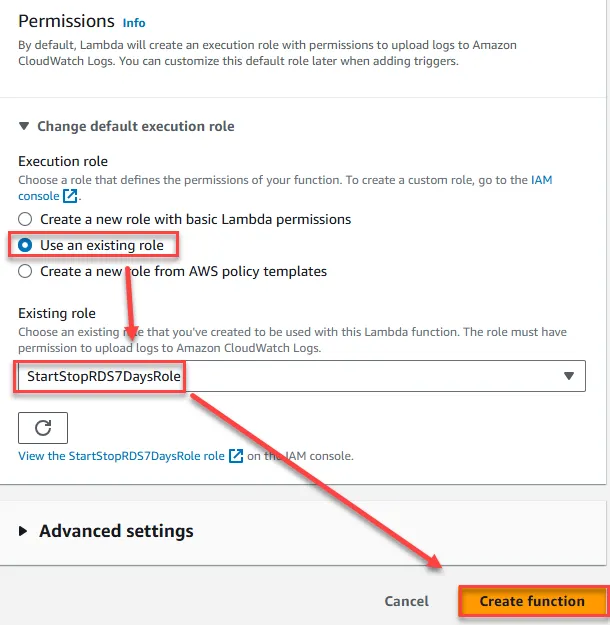
選擇剛剛所建立的 Role 後點選建立
貼上以下程式碼,點選 Deploy
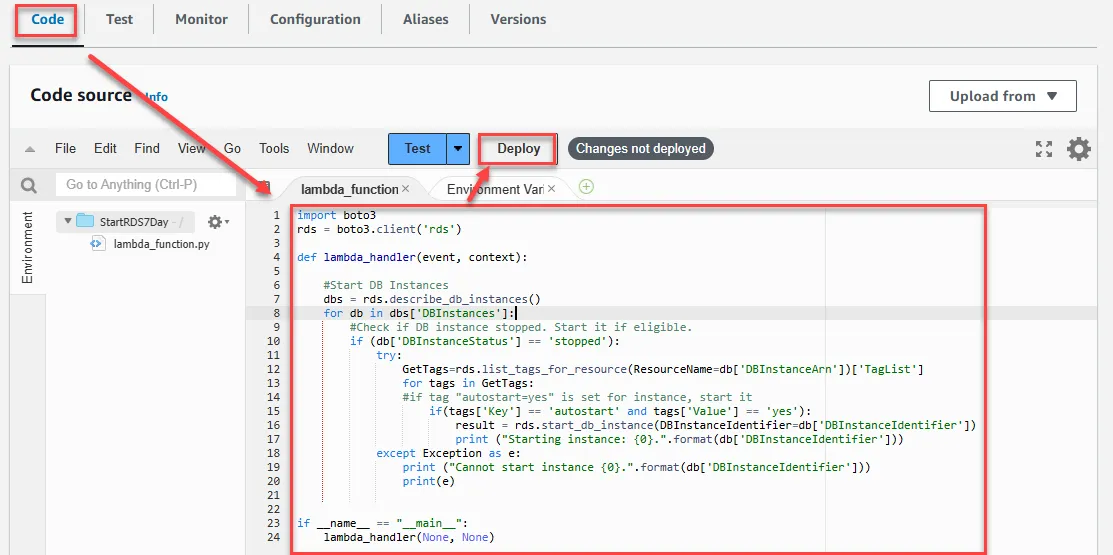
1import boto32rds = boto3.client('rds')3
4def lambda_handler(event, context):5
6    #Start DB Instances7    dbs = rds.describe_db_instances()8    for db in dbs['DBInstances']:9        #Check if DB instance stopped. Start it if eligible.10        if (db['DBInstanceStatus'] == 'stopped'):11            try:12               GetTags=rds.list_tags_for_resource(ResourceName=db['DBInstanceArn'])['TagList']13                for tags in GetTags:14                #if tag "autostart=yes" is set for instance, start it15                    if(tags['Key'] == 'autostart' and tags['Value'] == 'yes'):16                        result = rds.start_db_instance(DBInstanceIdentifier=db['DBInstanceIdentifier'])17                        print ("Starting instance: {0}.".format(db['DBInstanceIdentifier']))18            except Exception as e:19                print ("Cannot start instance {0}.".format(db['DBInstanceIdentifier']))20                print(e)21
22
23if __name__ == "__main__":24    lambda_handler(None, None)
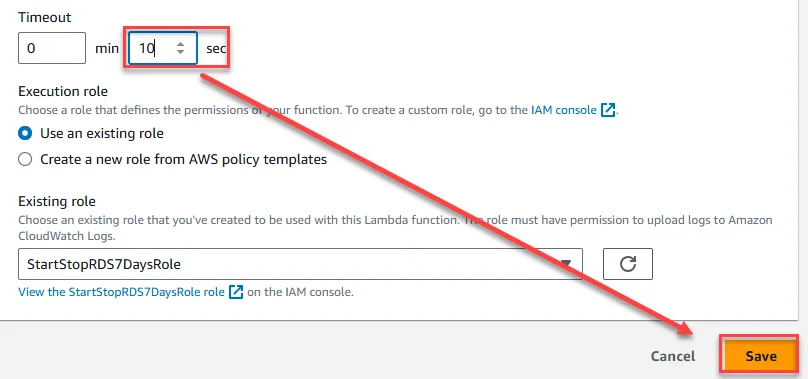
設定逾時時間為 10 秒,點選設定 -> 一般設定 -> 編輯
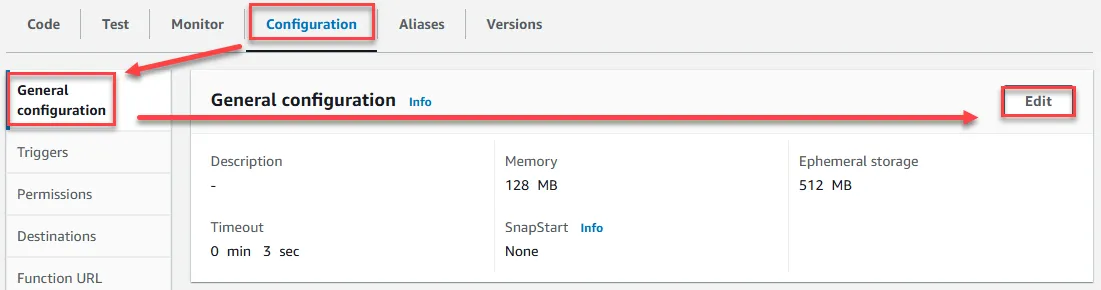
設定 10 秒鐘後存檔即可
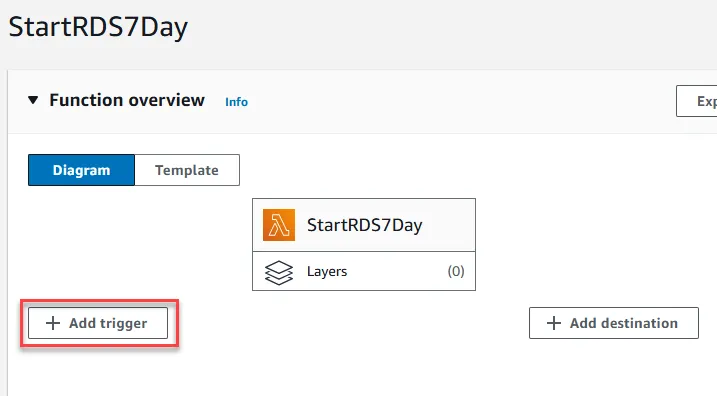
設定定期開機觸發時間,點選 Add Trigger
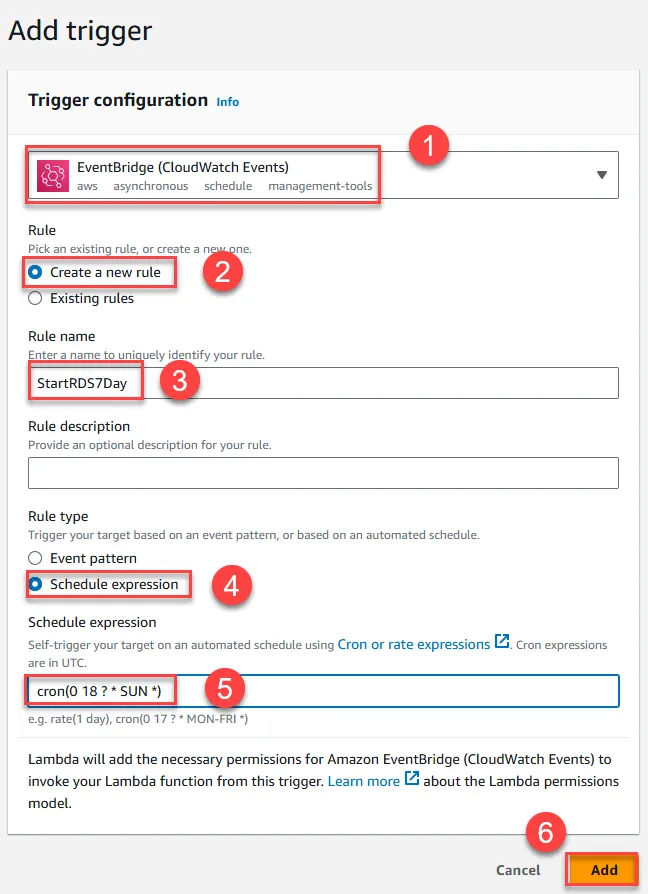
- 選擇 EventBridge
- 建立新規則
- 輸入規則名稱
- 選擇使用 cron表達式
- 官方建議輸入比 RDS 維護時間提前 30 分鐘,但這邊範例則為直接比照 RDS 維護時間輸入cron(0 18 ? * SUN *),時區一樣為 UTC,可點我參考 cron 表達式
- 點選增加
建立關機 Lambda
所有操作方式與上述開機相同,關機腳本如下
1import boto32rds = boto3.client('rds')3
4def lambda_handler(event, context):5
6    #Stop DB instances7    dbs = rds.describe_db_instances()8    for db in dbs['DBInstances']:9        #Check if DB instance is not already stopped10        if (db['DBInstanceStatus'] == 'available'):11            try:12               GetTags=rds.list_tags_for_resource(ResourceName=db['DBInstanceArn'])['TagList']13                for tags in GetTags:14                #if tag "autostop=yes" is set for instance, stop it15                    if(tags['Key'] == 'autostop' and tags['Value'] == 'yes'):16                        result = rds.stop_db_instance(DBInstanceIdentifier=db['DBInstanceIdentifier'])17                        print ("Stopping instance: {0}.".format(db['DBInstanceIdentifier']))18            except Exception as e:19                print ("Cannot stop instance {0}.".format(db['DBInstanceIdentifier']))20                print(e)21
22if __name__ == "__main__":23    lambda_handler(None, None)
測試
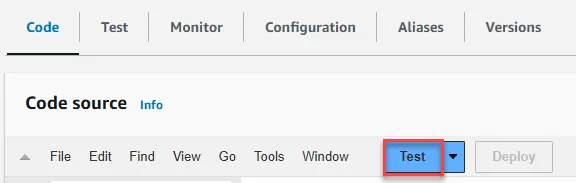
點選Test即可進行開機或關機測試
REF How can I use a Lambda function to stop an Amazon RDS instance for longer than seven days?