Enhancing Cloud Run Security with Binary Authorization in GCP Single Project
Scenario
- 於 CloudRun 中使用 Binary Authorization 功能,以加強資安控管
- 使用 Binary Authorization policy 可在每次 CloudRun 部署 service 前都檢查 revision 有沒有符合 policy 要求
- 若在不符合 policy 情況下想要強制部署,則可透過 breakglass 功能 bypass 掉
- Policy 不會溯及既往已部署正在執行中的 CloudRun
啟用 API
只要有使用 CloudRun 或 GKE 等專案,均需取用,點我啟用 Binary Authorization API
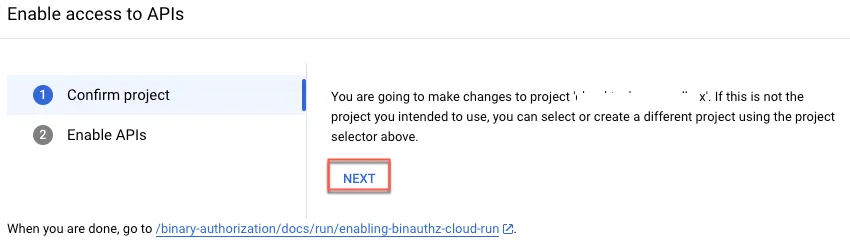
點選 NEXT
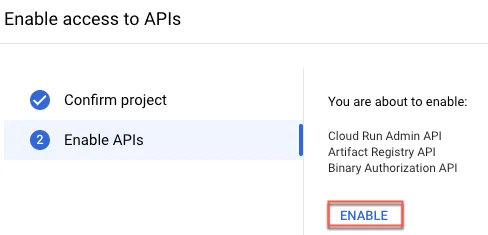
點選 Enable
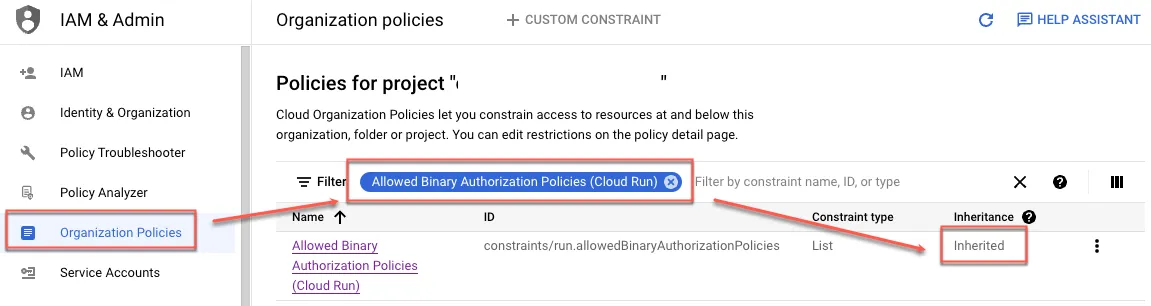
(Optional) 確認 org 設定
可點我確認專案或 org 套用狀態與設定
輸入「Allowed Binary Authorization Policies (Cloud Run)」過濾條件查看,如需要調整,可依照說明進行設定
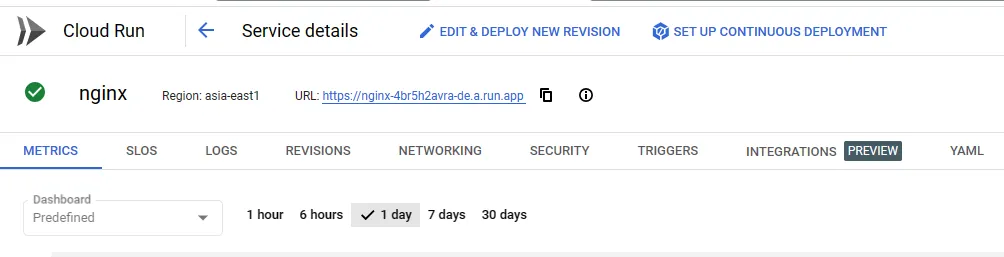
如下圖專案為繼承組織規則
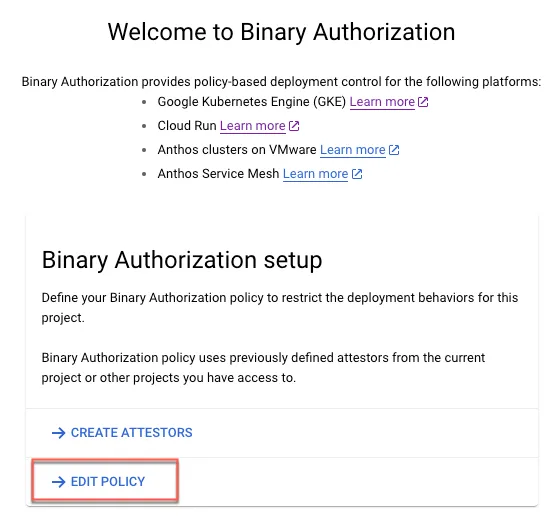
設定 Disallow All Images Policy
點我設定 policy
設定預設規則
- 使用預設阻擋全部 images 與 exempt image
- 如果想開啟 Dry-run 模式也可從這勾選啟用
- Exempt image 設定方式可參考本文
- 可指定單一 image,如:
gcr.io/example-project/helloworld- 指定 tag:
gcr.io/example-project/helloworld:latest - 指定所有版本
gcr.io/example-project/helloworld:*
- 指定 tag:
- 指定某專案
gcr.io/example-project/*- 專案下包含子資料夾
gcr.io/example-project/**
- 專案下包含子資料夾
- 可指定單一 image,如:
- 完成後儲存即可
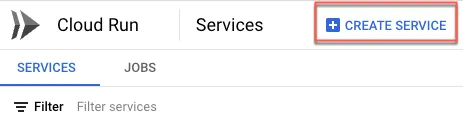
在新 CloudRun service 上啟用 Binary Authorization
使用符合 Policy image
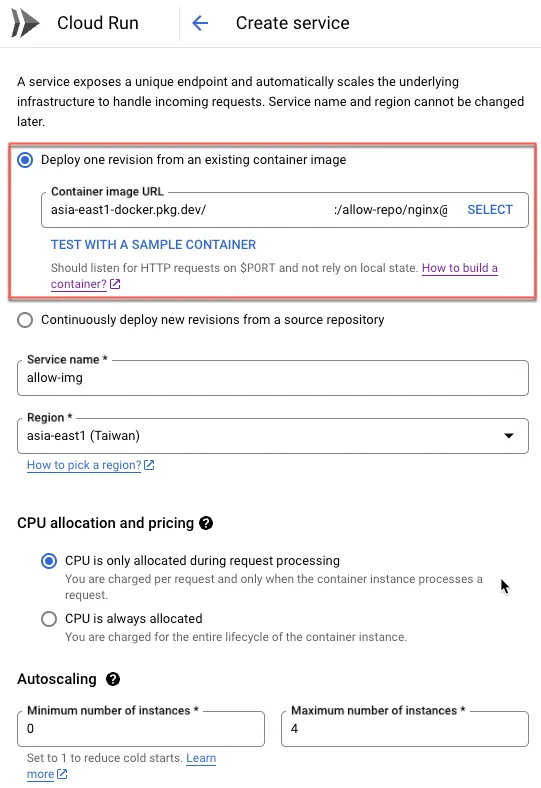
使用 exempt image
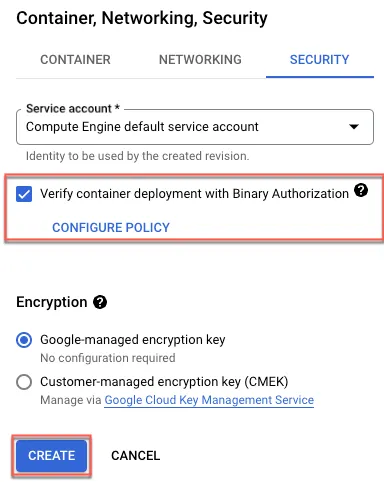
勾選使用 binary authorization 後建立
可正常建立 service
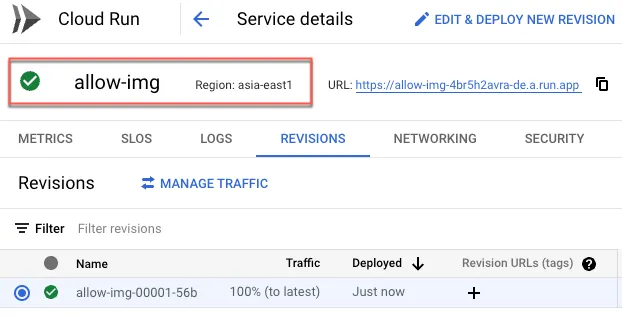
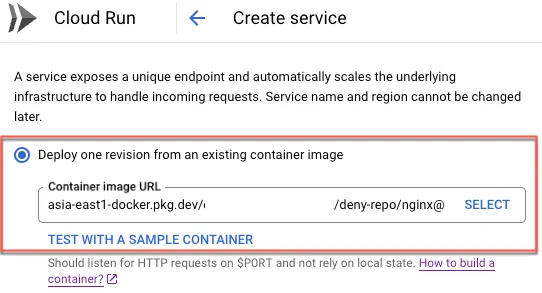
使用不符合 Policy image
與前述步驟相同,但選擇不同 image
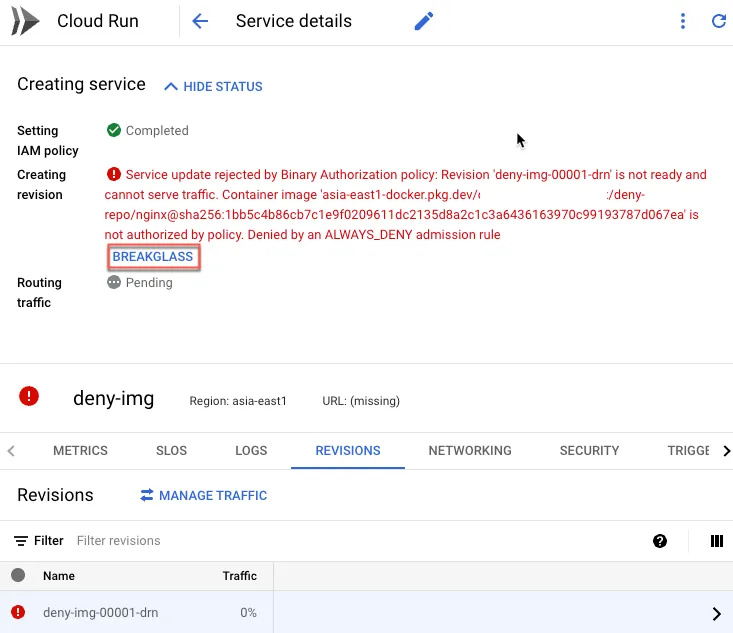
出現無法部署訊息,可點選 BREAKGLASS
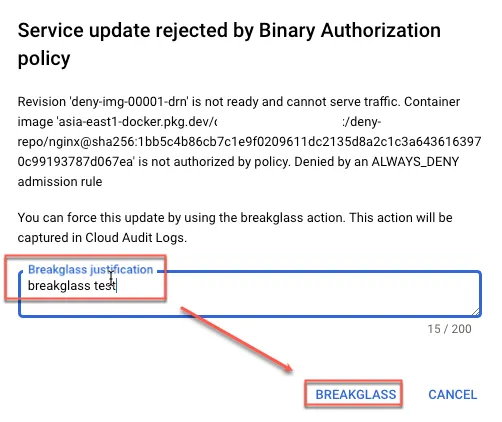
輸入原因後,再點選 BREAKGLASS 即可
BREAKLESS 後即可正常運作
稽核紀錄資訊
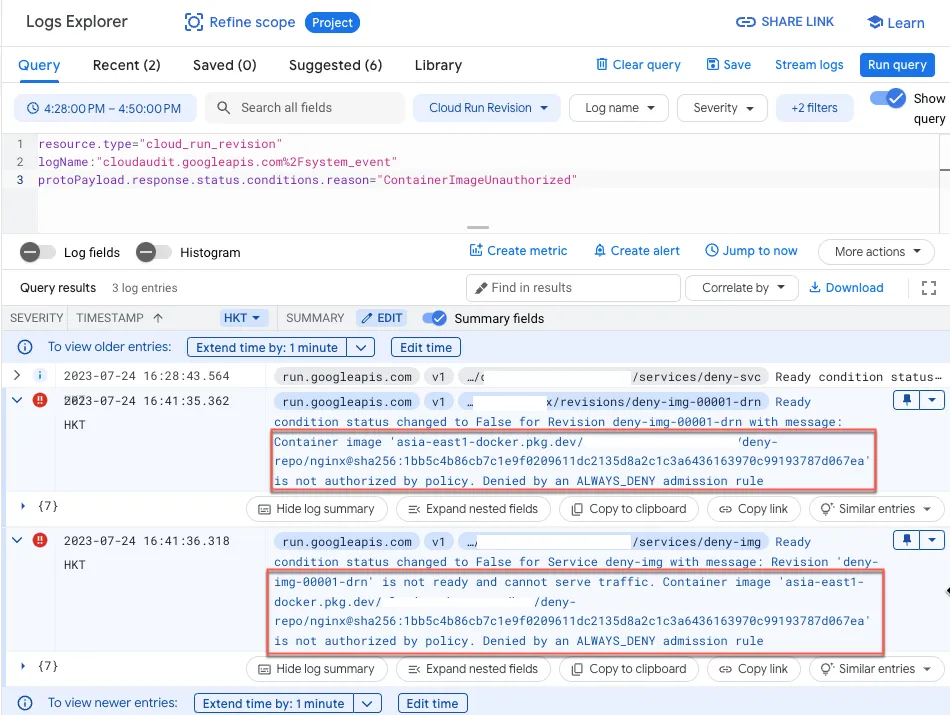
Default disallow 使用非允許 image
可至 Log Explorer 查詢,輸入以下過濾條件,查看紀錄
1resource.type="cloud_run_revision"2logName:"cloudaudit.googleapis.com%2Fsystem_event"3protoPayload.response.status.conditions.reason="ContainerImageUnauthorized"會出現以下紀錄
使用 Dry run 稽核紀錄
1resource.type="cloud_run_revision"2logName:"cloudaudit.googleapis.com%2Fsystem_event"3"dry run"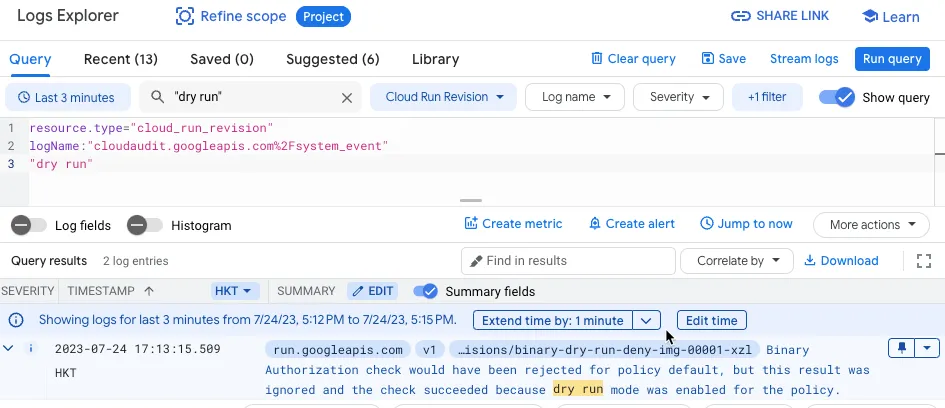
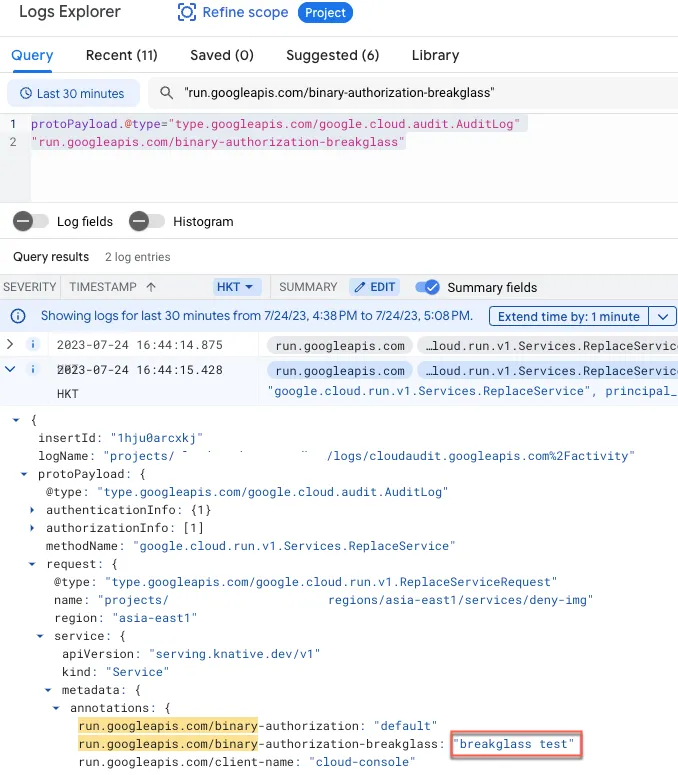
Breakglass 稽核紀錄
針對 breakglass 紀錄可使用以下過濾條件搜尋
1protoPayload.@type="type.googleapis.com/google.cloud.audit.AuditLog"2"run.googleapis.com/binary-authorization-breakglass"紅框處為所輸入原因
SCC 搭配
目前 SCC 有支援以下事件,但仍在 Preview 階段
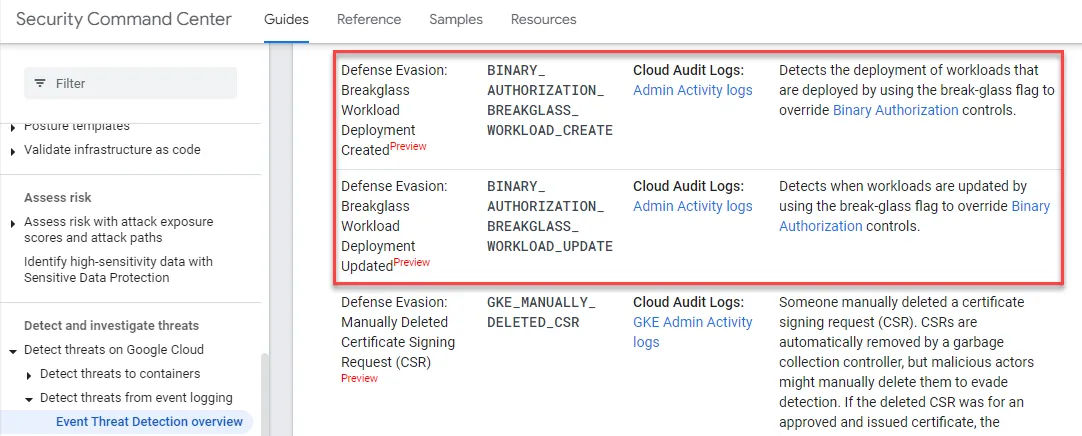
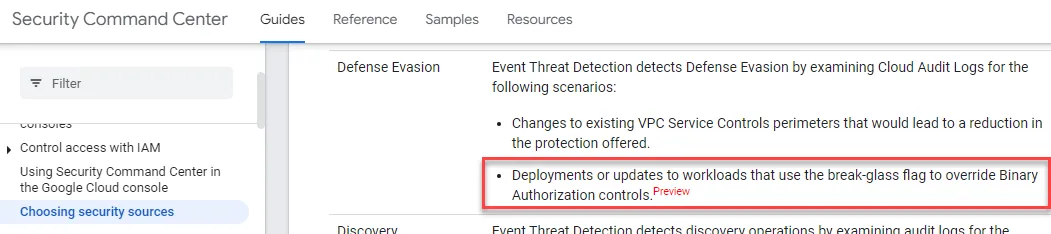
設定 Attestations Policy
由於使用 attestations 前置步驟須建立 attestor 與 PKIX 金鑰,此案例使用 KMS 建立 PKIX,最後才用 attestations 對 image 簽名。
建立流程如下:
- 於 GCP 中建立 KMS Key
- 設定 attestor
- 設定 binary authorization policy
- 使用 attestations
設定 KMS
啟用 KMS API
首次使用需啟用 KMS API
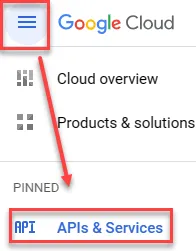

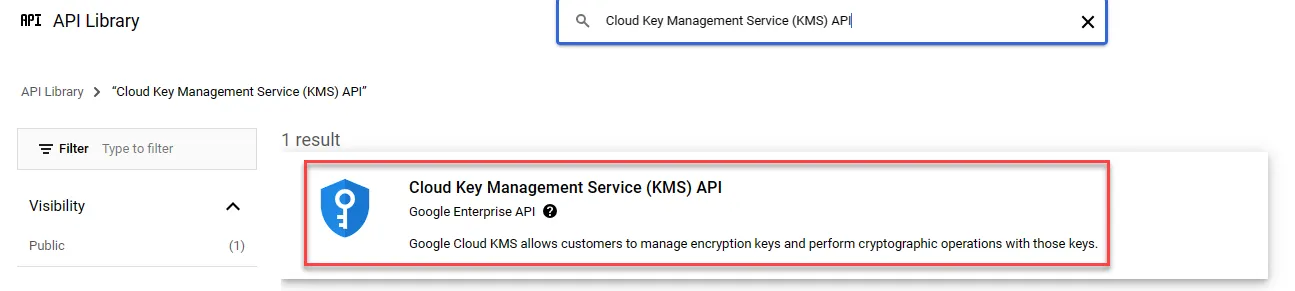
搜尋列中輸入
Cloud Key Management Service (KMS) API
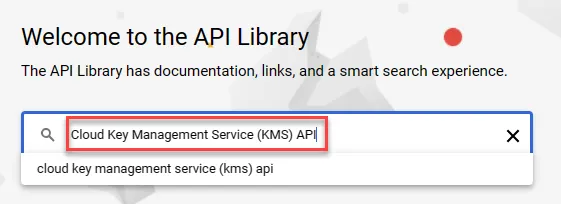
點選進入
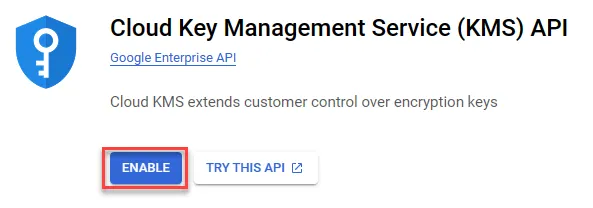
啟用
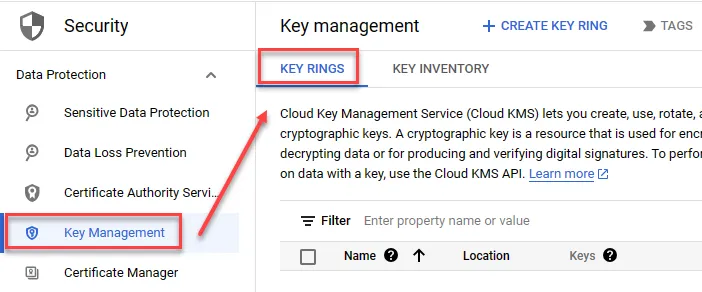
建立 Key
建立 Key Rings
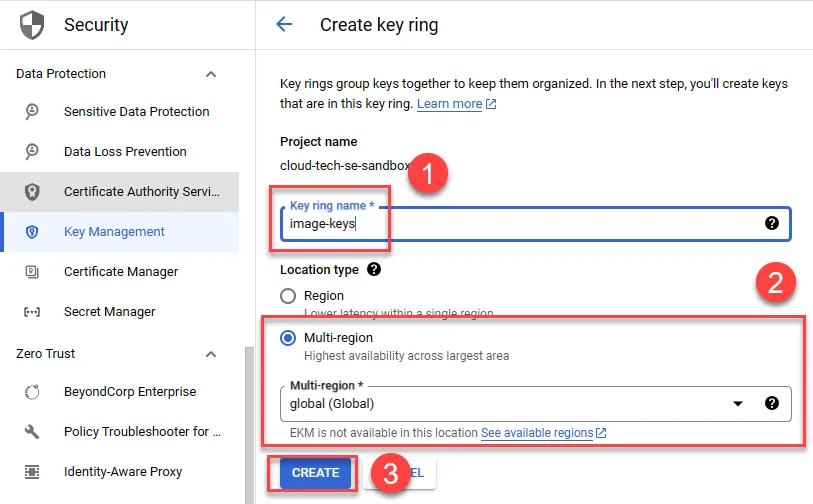
依照需求執行以下動作
- 名稱
- 區域
- 建立
完成後建立 Key,分別輸入名稱、保護等級選 software、目的選擇 Asymmetric sign、演算法選擇 Elliptic Curve P-256 - SHA256 Digest
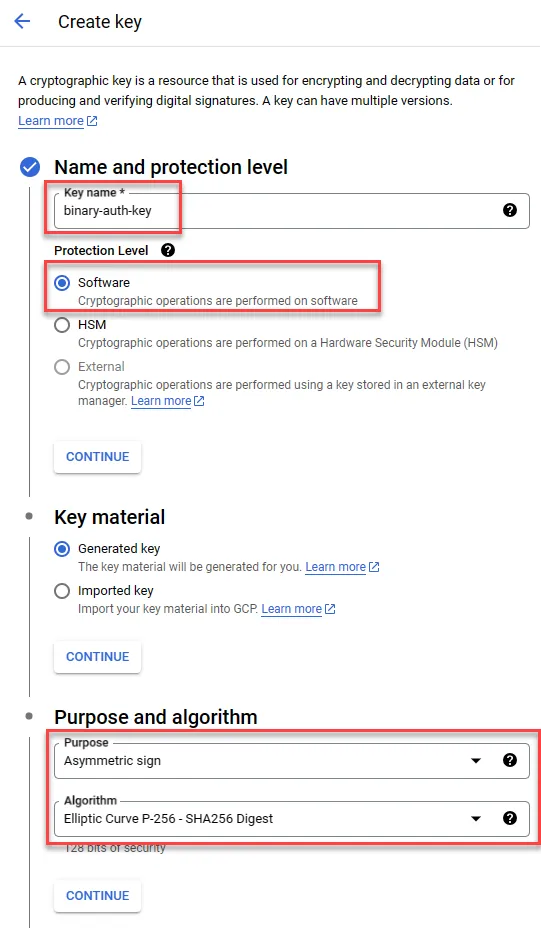
完成後點選建立即可
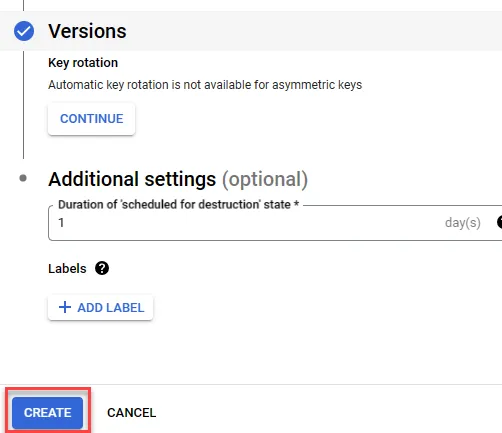
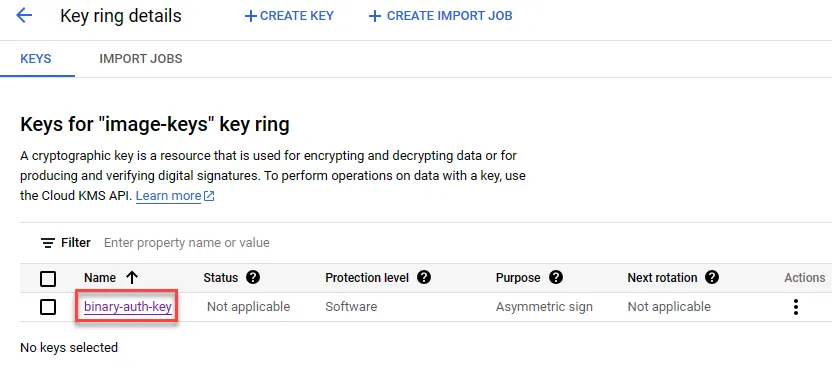
建立完成後,點選進入
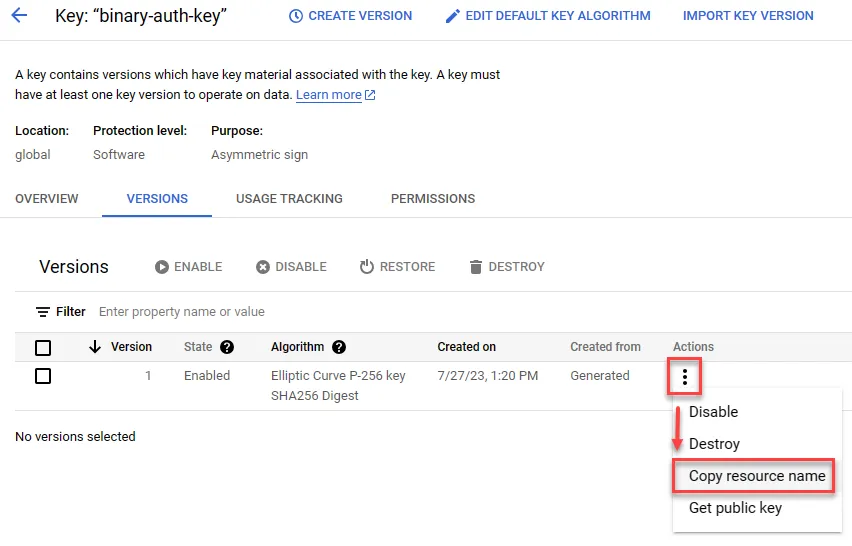
複製 Key 資源名稱以供後續使用
設定 Attestor
開啟 Attestor API
如同啟用 KMS API 步驟,搜尋 containeranalysis.googleapis.com 並啟用 API 即可
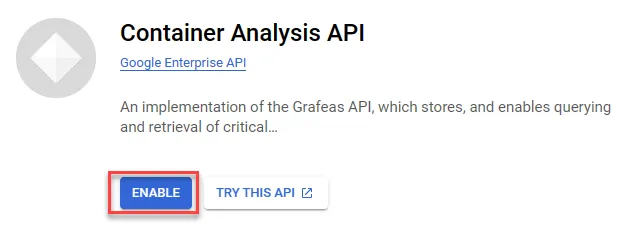
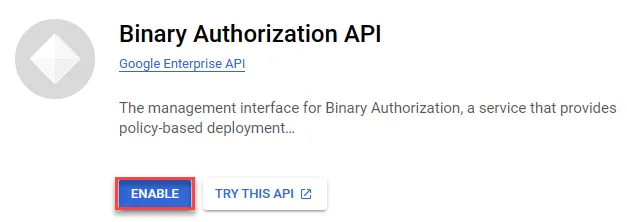
開啟 binaryauthorization.googleapis.com API
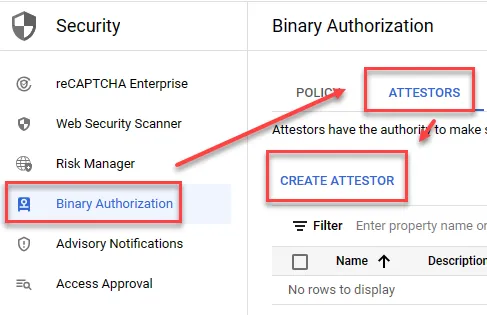
新增 Attestor
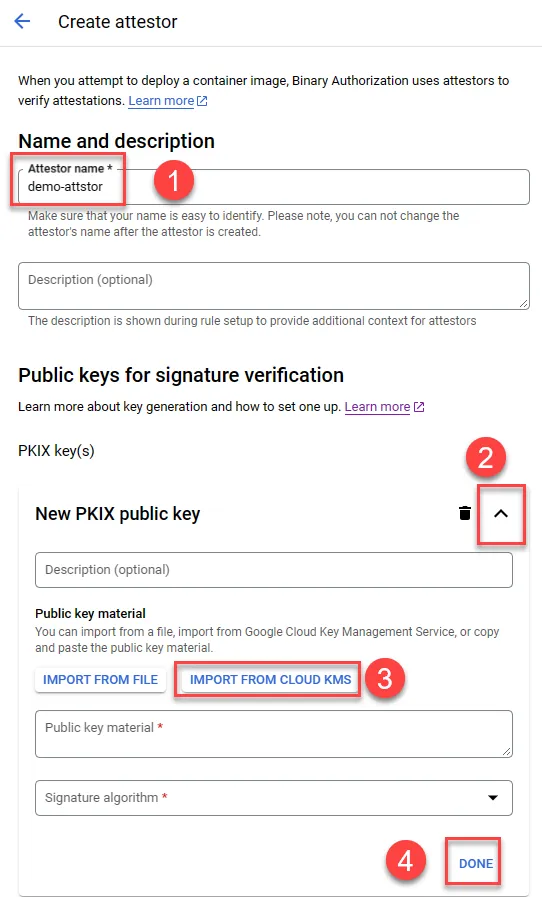
- 建立名稱
- 展開
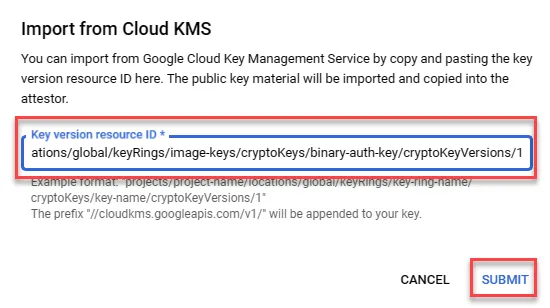
- 貼上前面複製的 Key 資源名稱
- 完成
貼上後 SUBMIT
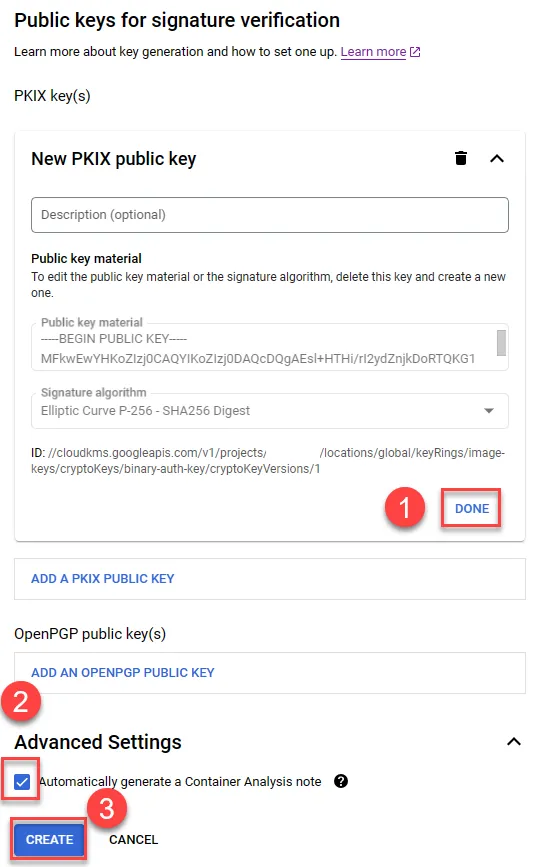
- 點選 DONE
- 確認 Automatically generate a Container Analysis note 有勾選
- 點選 CREATE
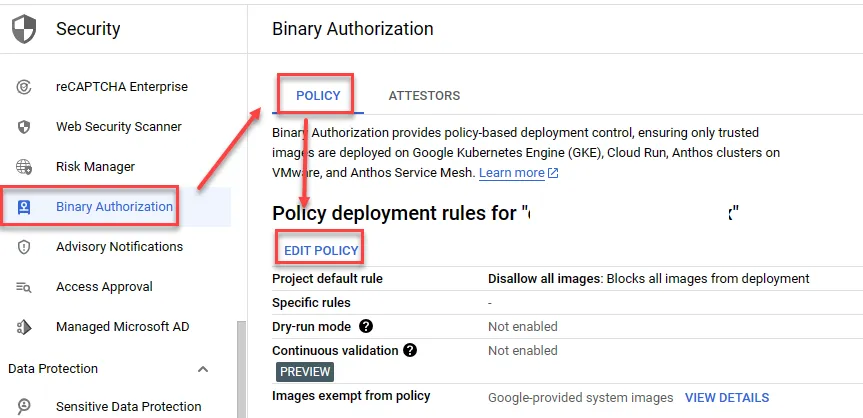
設定 Binary Authorization Policy
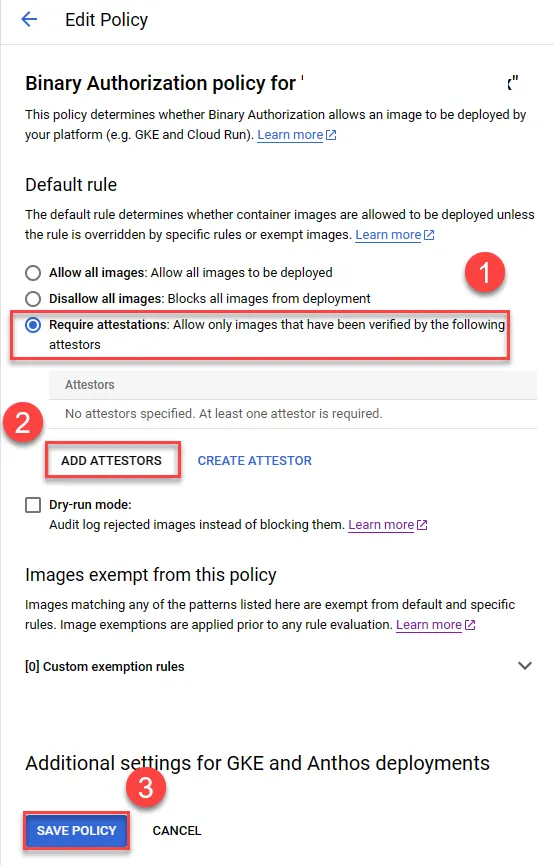
加入剛剛所建立之 Attestor
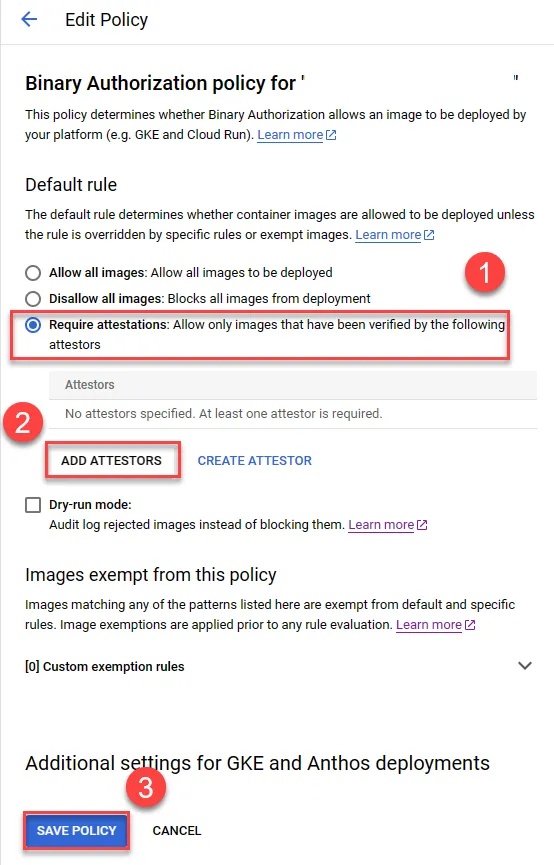
- 選擇 Require attestations
- 加入 attestor
- 儲存設定
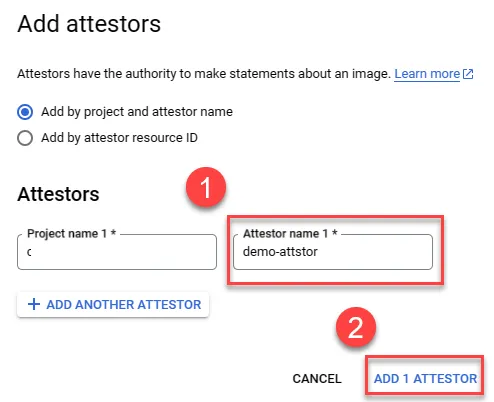
加入 attestors
- 選擇名稱
- 加入
使用 Attestation
Attest image
目前僅支援 gcloud 指令進行實作
設定以下環境變數並執行
1ATTESTOR_PROJECT_ID="YOUR_PROJECT_ID"2ATTESTATION_PROJECT_ID="YOUR_PROJECT_ID"3ATTESTOR_NAME="demo-attstor"4IMAGE_PATH="asia-east1-docker.pkg.dev/YOUR_PROJECT_ID/allow-repo/nginx"5IMAGE_DIGEST="sha256:YOUR_IMG_DIGEST"6IMAGE_TO_ATTEST="${IMAGE_PATH}@${IMAGE_DIGEST}"7KMS_KEY_PROJECT_ID="YOUR_PROJECT_ID"8KMS_KEY_LOCATION="global"9KMS_KEYRING_NAME="image-keys"10KMS_KEY_NAME="binary-auth-key"11KMS_KEY_VERSION=112
13gcloud beta container binauthz attestations sign-and-create \14    --project="${ATTESTATION_PROJECT_ID}" \15    --artifact-url="${IMAGE_TO_ATTEST}" \16    --attestor="${ATTESTOR_NAME}" \17    --attestor-project="${ATTESTOR_PROJECT_ID}" \18    --keyversion-project="${KMS_KEY_PROJECT_ID}" \19    --keyversion-location="${KMS_KEY_LOCATION}" \20    --keyversion-keyring="${KMS_KEYRING_NAME}" \21    --keyversion-key="${KMS_KEY_NAME}" \22    --keyversion="${KMS_KEY_VERSION}"
確認是否執行成功,列出既有 Attestation
1gcloud container binauthz attestations list \2 --attestor-project=${ATTESTOR_PROJECT_ID} \3 --attestor=${ATTESTOR_NAME}預期結果
1---2attestation:3 serializedPayload: xxxxxxxxx4 signatures:5 - publicKeyId: //cloudkms.googleapis.com/v1/projects/YOUR_PROJECT_ID/locations/global/keyRings/image-keys/cryptoKeys/binary-auth-key/cryptoKeyVersions/16 signature: MEUCIDdfSyE-2SNAXVxzh4FzfEtwgnBEFs9sY4BFAqH3fZLdAiEAmfk6Ov-TUGwyx2qWVQTIni_fYvWi-ye6ObmCVr6i4AU=7createTime: '2023-07-27T06:21:02.953969Z'8kind: ATTESTATION9name: projects/YOUR_PROJECT_ID/occurrences/32524935-0c65-4d7e-b9e6-2c7b1fceadcd10noteName: projects/YOUR_PROJECT_ID/notes/demo-attstor-note11resourceUri: asia-east1-docker.pkg.dev/YOUR_PROJECT_ID/allow-repo/nginx@sha256:YOUR_IMG_DIGEST12updateTime: '2023-07-27T06:21:02.953969Z'測試 Policy
測試方式與在新 CloudRun service 上啟用 Binary Authorization 相同,不過此法主要判定 image 之 sha 值,經測試如兩 image 於不同 repo 但 sha 相同,仍可正常部署。
刪除 attestation
列出既有 Attestation
1gcloud container binauthz attestations list \2 --attestor-project=${ATTESTOR_PROJECT_ID} \3 --attestor=${ATTESTOR_NAME}複製 occurrences 後的 id
1---2...3kind: ATTESTATION4name: projects/YOUR_PROJECT_ID/occurrences/32524935-xxxx-xxxx-xxxx-2c7b1fceadcd5...輸入以下指令刪除即可
1OCCURRENCE_ID="32524935-xxxx-xxxx-xxxx-2c7b1fceadcd"2curl -H "Authorization: Bearer $(gcloud auth print-access-token)" -X DELETE https://containeranalysis.googleapis.com/v1beta1/projects/${ATTESTATION_PROJECT_ID}/occurrences/${OCCURRENCE_ID}