CloudBuild triggered by Pub/Sub
Scenario
- 流程
- Artifact Registry Push container image 後透過 Pub/Sub 接收訊息
- 接著以 CloudBuild trigger 觸發執行 cloudbuild.yaml 進行動作
- 用途
- 接收到特定 image 推送時,觸發 CloudBuild 進行後續作業
實做方式
- 建立 Artifact Registry
- 設定 artifact registry sa,加入 pubsub.topics.publish 權限
- 建立 Pub/Sub
- 建立 CloudBuild Trigger
- 測試
執行步驟
建立 Artifact Registry
輸入以下指令建立新的 Registry
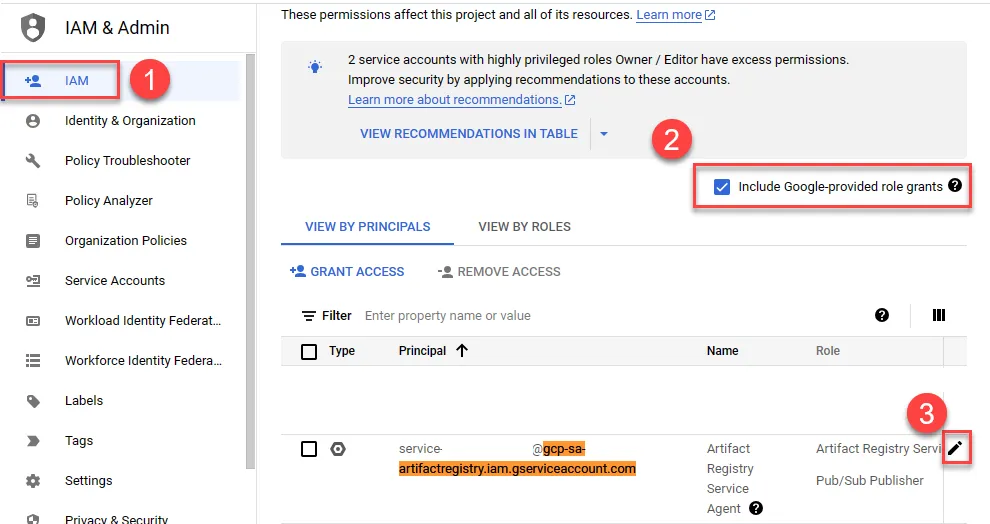
1gcloud artifacts repositories create REPO_NAME --repository-format=docker --location=asia-east1到 IAM 設定 gcp-sa-artifactregistry.iam.gserviceaccount.com 權限,加入 Pub/Sub Publisher
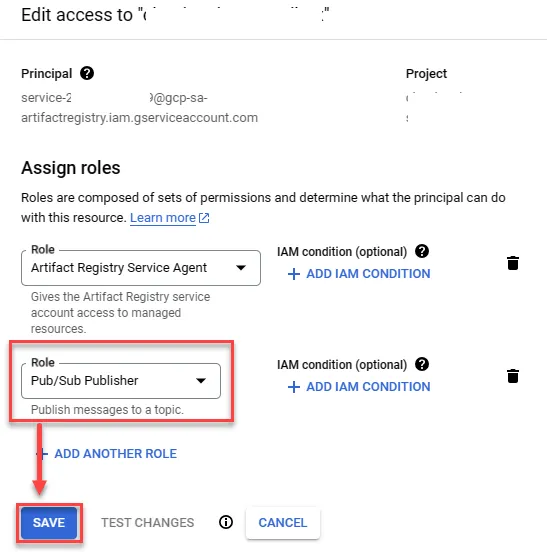
加入權限後存檔
建立 Pub/Sub
1gcloud pubsub topics create gcr2gcloud pubsub subscriptions create gcr-sub --topic=gcr建立 CloudBuild Trigger
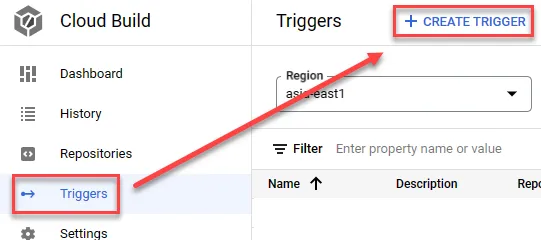
建立新的 Trigger
- 輸入名稱
- 選擇 Pub/Sub message 事件
- 選擇前面所建立之 topic
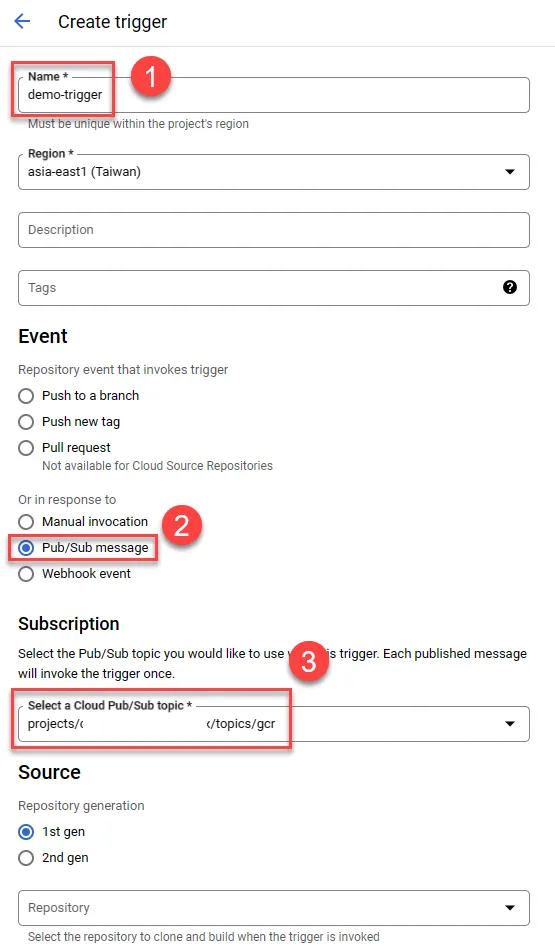
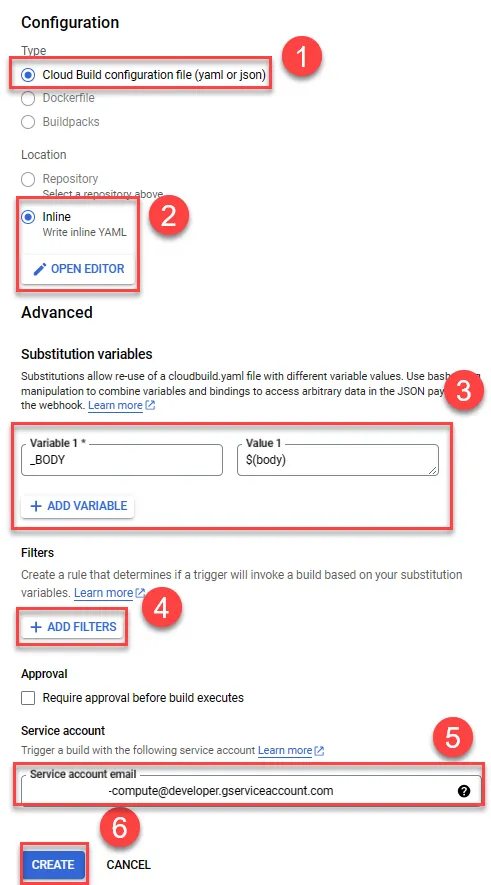
往下捲動繼續設定
- 選擇 CloudBuild config file
- 選擇 inline,未來有需要可選擇 repo
- 輸入變數,變數需要輸入 _ 在最前面
- 增加過濾條件
- 選擇預設的 sa
- 建立
Inline 部分貼上以下內容
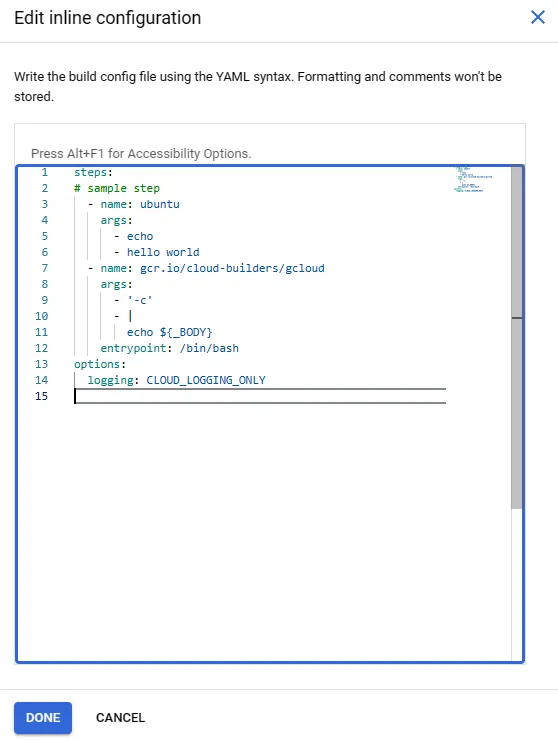
備註:正式環境不建議如此使用,以完整獨立的 cloudbuild.yaml 進行實做,可便於管理
1steps:2# sample step3 - name: ubuntu4 args:5 - echo6 - hello world7 - name: gcr.io/cloud-builders/gcloud8 args:9 - '-c'10 - |11 echo ${_BODY}12 entrypoint: /bin/bash13options:14 logging: CLOUD_LOGGING_ONLYFilter 部分建立以下內容,只要包含 test 就會觸發
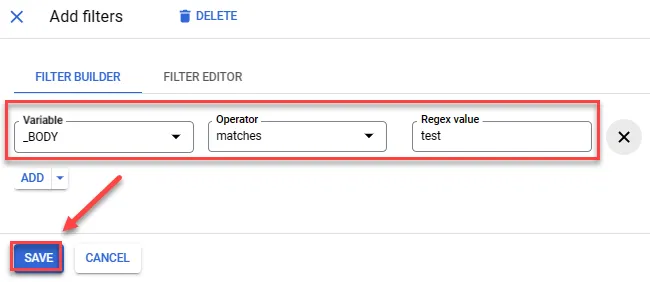
測試 Trigger
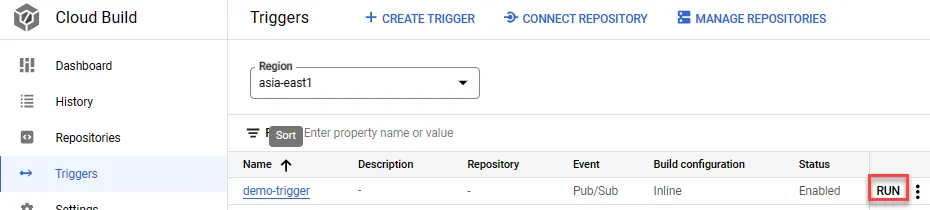
在 CloudBuild 中點選 Run 進行測試
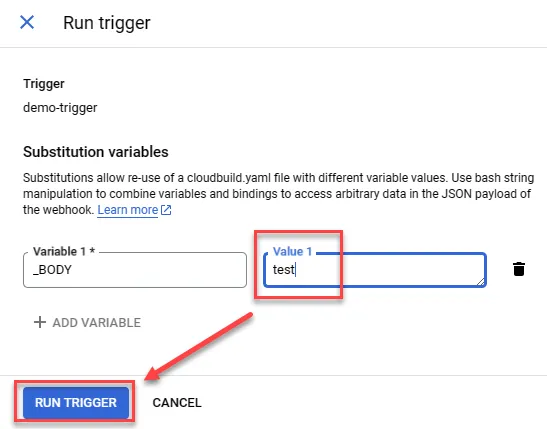
輸入 echo 的值,這邊因為是強制觸發,因此就算輸入不包含 test 的內容也會執行 Cloud Build
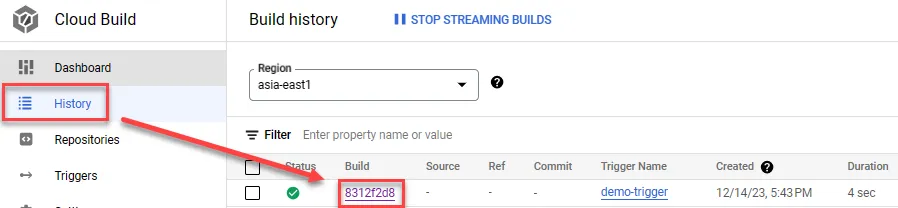
點選 Build
可以發現建立成功
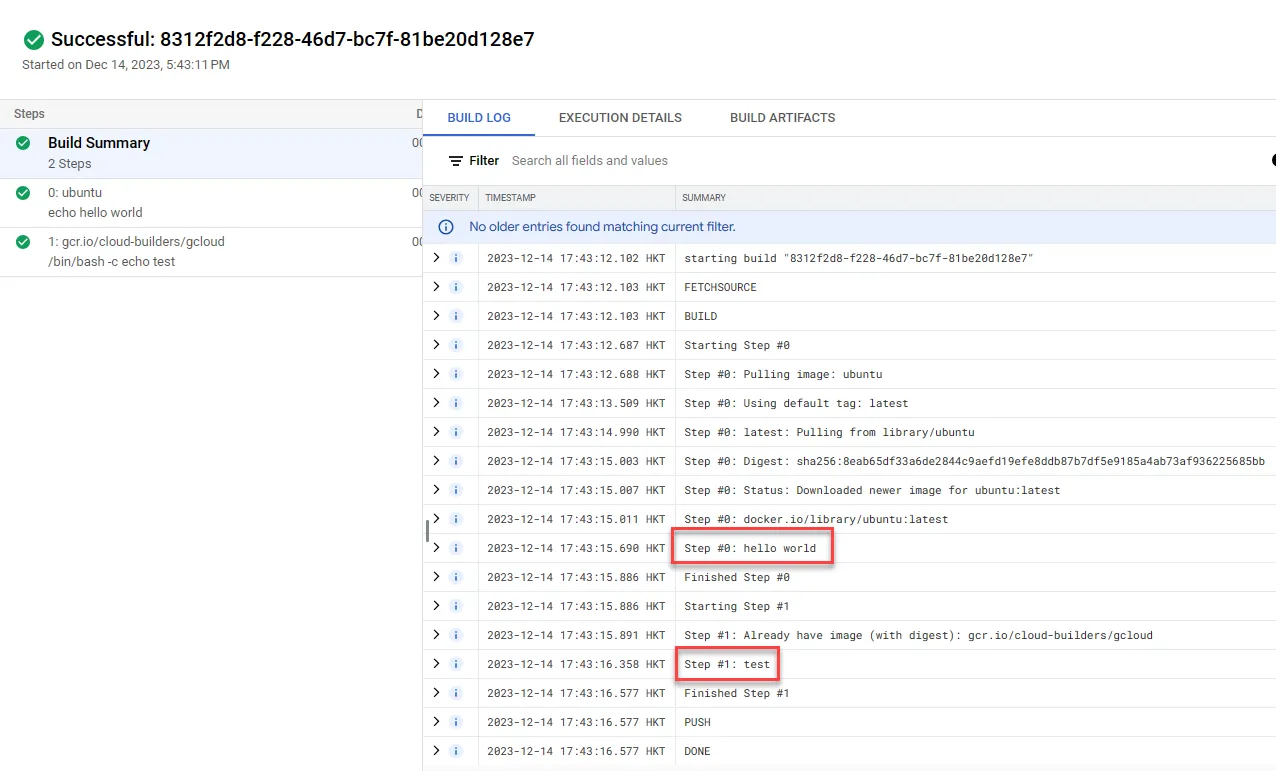
測試
使用 Pub/Sub 觸發
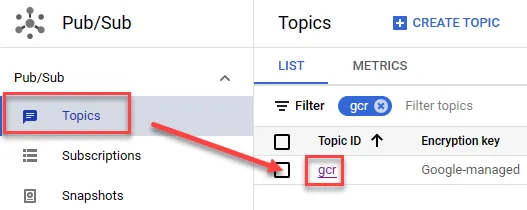
點選所建立之 Topic
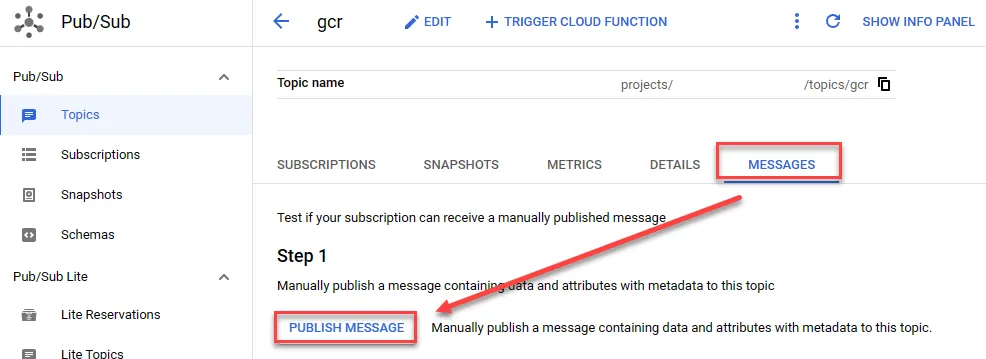
發布訊息
貼上以下訊息以供測試
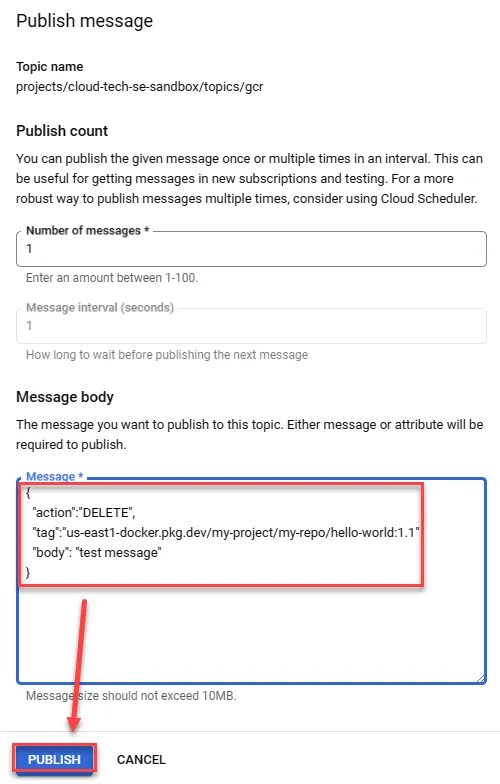
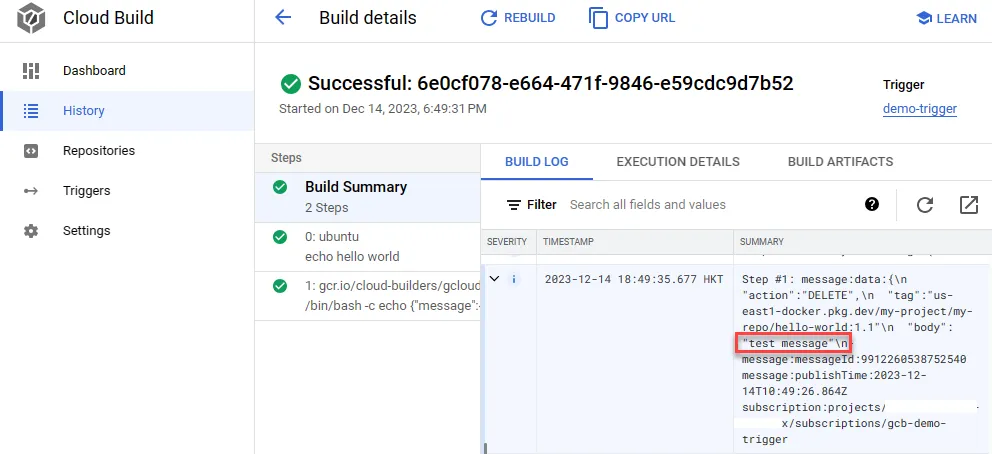
1{2 "action":"DELETE",3 "tag":"us-east1-docker.pkg.dev/my-project/my-repo/hello-world:1.1"4 "body": "test message"5}查看 CloudBuild history
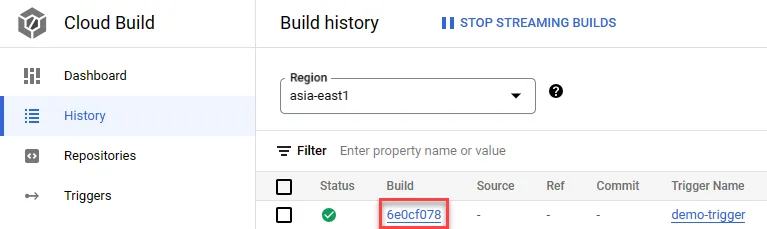
可發現 test message 能正常出現,而 demo message 不會有反應
應用方式
特定 image 觸發 CloudBuild
特定 container image 更新後才會觸發 CloudBuild
CloudBuild trigger 中 cloudbuild.yaml 修改如下
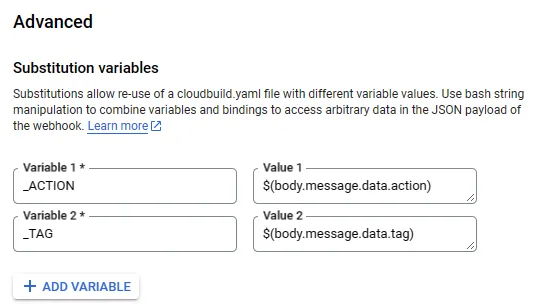
1steps:2 - name: ubuntu3 args:4 - echo5 - hello world6 - name: gcr.io/cloud-builders/gcloud7 args:8 - '-c'9 - |10 echo ${_TAG}11 echo ${_ACTION}12 entrypoint: /bin/bash13options:14 logging: CLOUD_LOGGING_ONLY使用變數如下與 vaule,以讀取 Artifact Registry 中資訊作為判斷條件
_ACTION:$(body.message.data.tag)_TAG:$(body.message.data.tag)
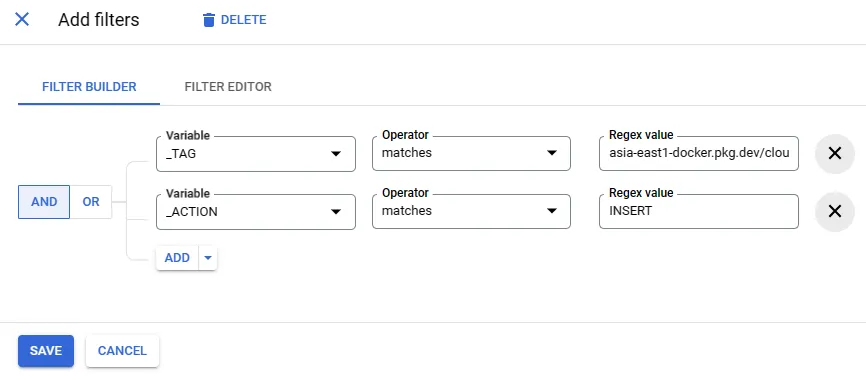
filter 修改成符合特定 image 與特定動作,如: asia-east1-docker.pkg.dev/my-project/docker-repo/image-one 與 INSERT 才觸發
使用 CloudShell docker 進行測試,可發現只有特定路徑會 trigger 或使用 pub/sub 方式測試亦可
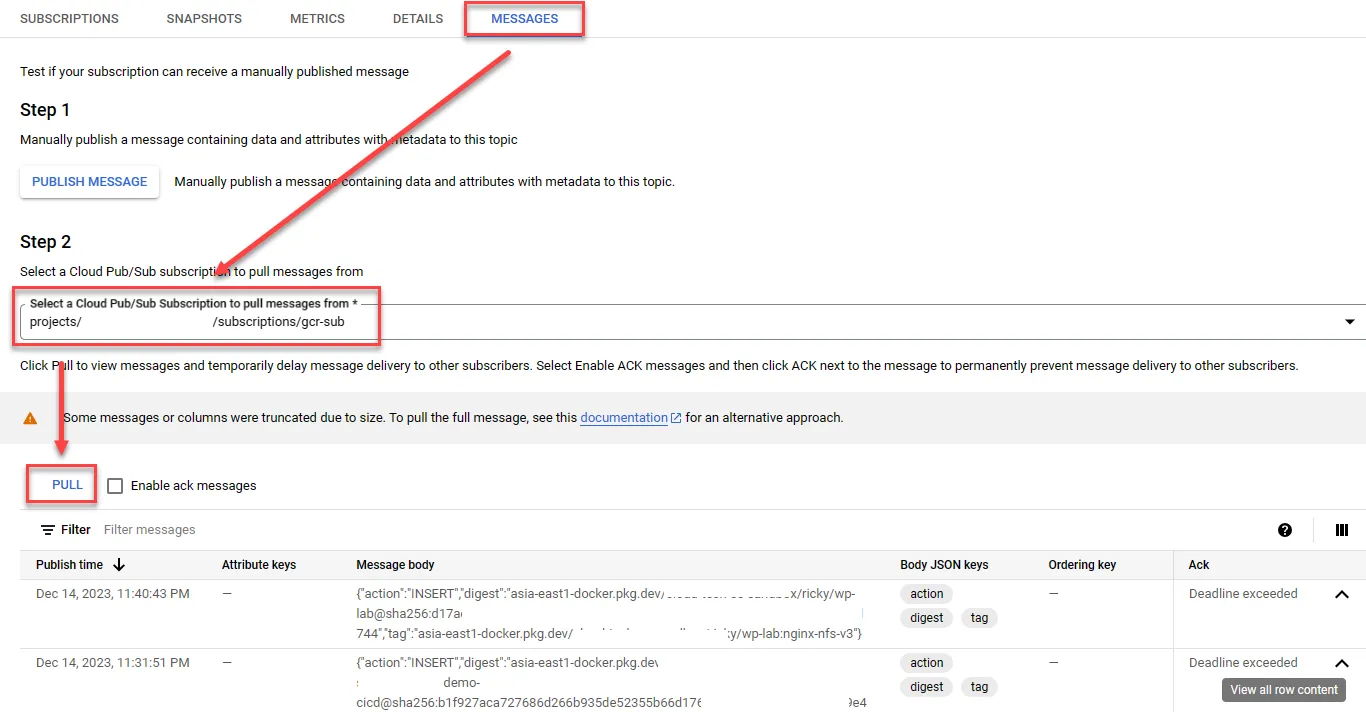
1{2 "action":"DELETE",3 "tag":"us-east1-docker.pkg.dev/my-project/my-repo/hello-world:1.1"4 "body": "test message"5}- 確認方式可於 Pub/Sub 中 pull 看看狀態對照 CloudBuild history 是否吻合,該觸發有觸發,不該觸發沒觸發的情況
- docker image push 也會將訊息發布到 Topic 中